Do Solar Security Cameras Work in the Rain?
Do solar security cameras work in the rain? If that's the question behind your upgrade plans this season, the answer is yes, but only when the right specifications are in place. A properly rated solar security camera can run reliably through storms without needing a power outlet nearby.
The International Electrotechnical Commission's IP rating system (IEC 60529) defines exactly how well a camera resists water and dust. As of 2026, most quality outdoor solar cameras carry an IP66 or higher rating. Here's what actually matters when rain hits your setup.
Image source: Bing (Web (fair-use with source credit))
Quick Answer
Do solar security cameras work in the rain? Yes, when they carry an IP66 or IP67 rating. Rain won't stop a well-built solar camera from operating.
Solar panel output drops 20 to 40 percent under heavy cloud cover. The real risk is cloudy stretches and low-budget seal failures.
How Solar Cameras Handle Rain and Where They Break Down
What IP Ratings Actually Mean
The IEC 60529 standard uses a two-digit code to rate dust and water resistance. The first digit (1 to 6) covers solid ingress. The second digit (1 to 8) covers liquid resistance.
Most solar security cameras fall between IP54 and IP68.
Here's what the water ratings mean in real terms:
| Rating | What It Survives |
|---|---|
| IP54 | Light splashes from any direction |
| IP55 | Low-pressure water jets |
| IP65 | Powerful water jets and steady rain |
| IP66 | Powerful jets and heavy rain |
| IP67 | Submersion up to 1 meter for 30 minutes |
| IP68 | Continuous submersion beyond 1 meter |
For rainy climates, you want IP66 or higher. IP65 handles occasional showers fine. IP67 is the smart choice if flooding or extreme storms are a concern in your area.
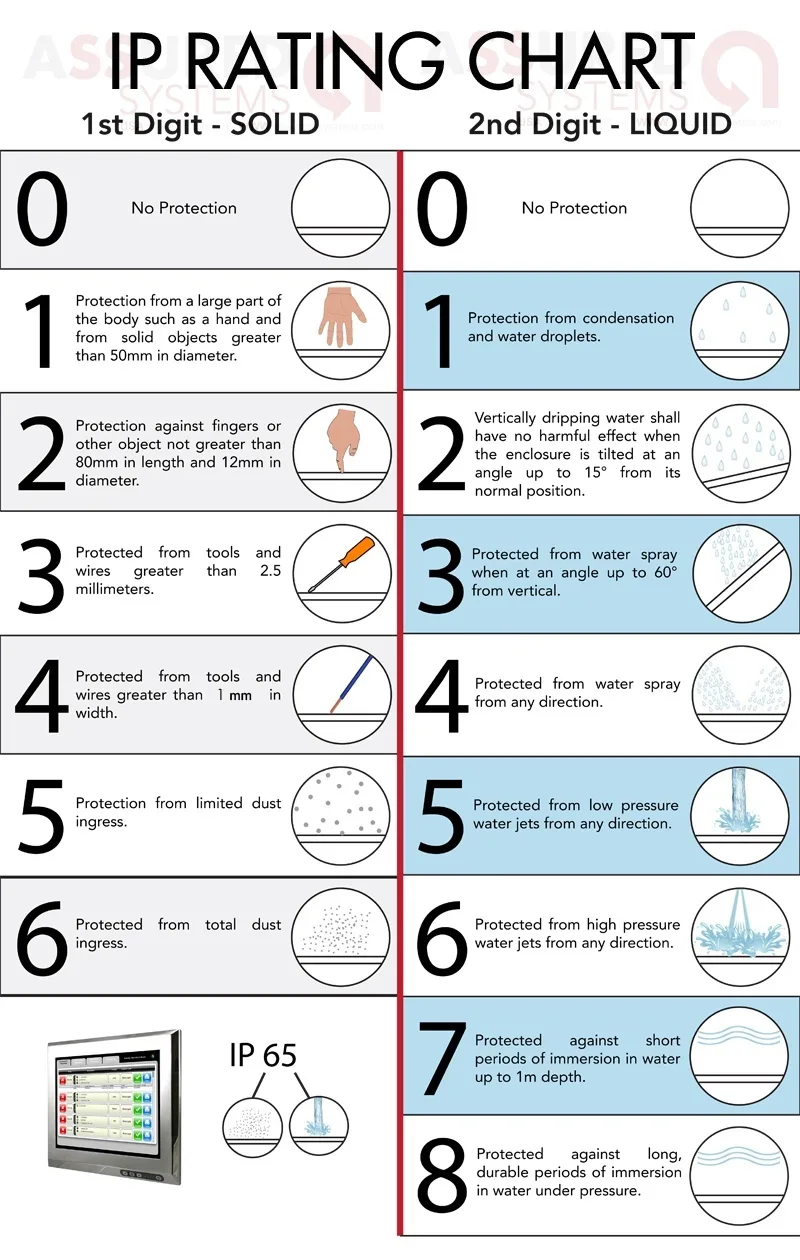
Image source: Bing (Web (fair-use with source credit))
How Rain Affects Each Component
Rain doesn't just hit the lens. It stresses every part of the system.
Solar panel. Output drops significantly in overcast conditions. Manufacturer specifications indicate that most 3W to 6W panels deliver 20 to 40 percent less power under heavy clouds. If your region gets weeks of rain without sun, your battery drains faster than it charges.
Per NREL data, average solar irradiance can fall by half during prolonged storm systems.
Battery. Lithium-ion batteries lose capacity in cold, wet weather. Below freezing, a 6000mAh battery might only deliver 60 percent of its rated capacity. Cold and rain together are the worst-case combination.
Lens. Water droplets reduce image clarity, especially at night when infrared LEDs reflect off wet surfaces. Some premium models use hydrophobic coatings to shed water faster.
Wi-Fi signal. Heavy rain can weaken 2.4GHz signals by several dB. If your camera sits 50 to 100 feet from the router, storm-season connection drops are common.
Where Budget Cameras Break Down
Cheap cameras rated IP54 or IP55 often fail within one to two seasons. Their gaskets are thinner and their rubber cable ports sit loose. Condensation builds inside the housing over time.
Per UL certification standards for outdoor electronics, only well-sealed units should be marketed as rainproof. Look for ETL or UL marks on any camera you buy for outdoor use.
Your Decision Tree: Choosing the Right Solar Camera for Wet Weather
Not every location calls for the same spec. Here's a straightforward decision path based on what you're dealing with.
Step 1: Assess Your Climate
Look at your annual rainfall and storm frequency first. If you get under 20 inches of rain per year, an IP54 or IP55 camera handles the job. If you're in a tropical zone receiving over 40 inches per year, move to IP66 or IP67.
Also consider freeze cycles. Cold plus rain drains batteries faster than rain alone.
Step 2: Match the IP Rating
Use this quick guide:
| Your Situation | Minimum IP Rating | Recommended Rating |
|---|---|---|
| Occasional showers, arid climate | IP54 | IP65 |
| Moderate rain, temperate climate | IP55 | IP66 |
| Heavy rain, tropical or coastal | IP66 | IP67 |
| Flooding risk, extreme storms | IP67 | IP68 |
Step 3: Size Your Solar Panel and Battery
If your region gets fewer than 4 hours of direct sunlight per day during rainy season, you need a bigger battery. Manufacturer specs show that a 6000mAh battery on a 2W panel runs out in about 2 to 3 cloudy days. Bump to a 10000mAh battery or a 4W to 6W panel for a 5-day buffer.
Step 4: Mount for Weather Resilience
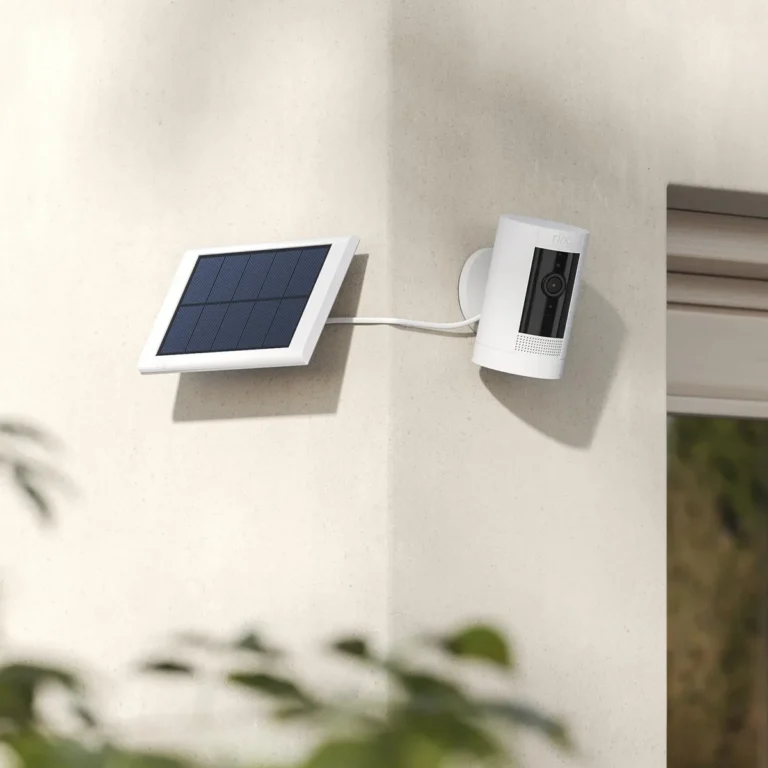
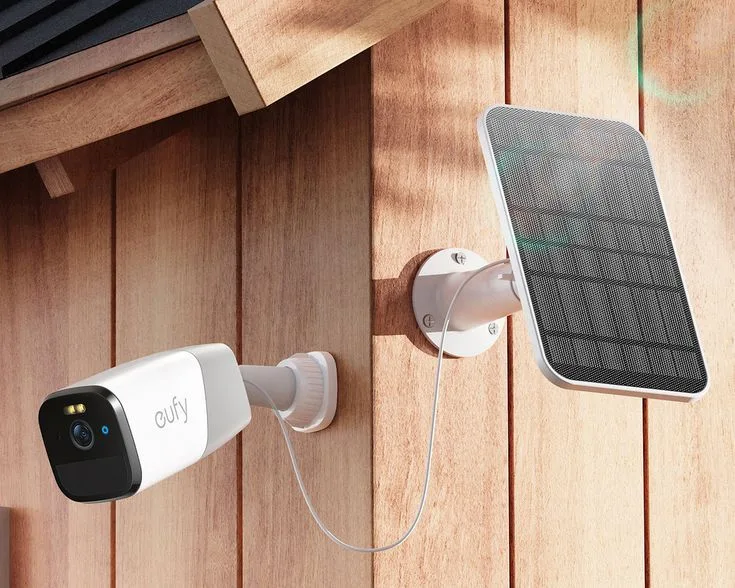
Mount the solar panel on a south-facing wall or pole with a 10 to 30 degree tilt angle. Mount the camera separately under an eave or awning when possible. This keeps water off the lens and reduces direct panel exposure to storm damage.
Step 5: Tune Your Motion Detection
Most modern solar cameras use AI-based motion detection. If yours doesn't, raise the sensitivity threshold to ignore rain and wind-triggered false alerts. This saves battery power during storms and keeps your recordings cleaner.
Best Situations for Solar Cameras in Rainy Climates
Solar cameras shine in specific scenarios. They're not always the right call.
Where Solar Cameras Make the Most Sense
- Off-grid properties with no electrical wiring within reach.
- Rural farms and barns where extending power lines costs more than a camera.
- Rental homes where you can't drill into walls or run cables.
- Tropical locations like Southeast Asia or coastal regions where rain is constant but sunlight returns between storms.
- Vacation homes monitored year-round without anyone present to manage grid power.
Where Solar Cameras Struggle
- Dense urban areas with persistent cloud cover or tall buildings blocking sunlight.
- High-latitude regions during winter when daylight drops below 8 hours and solar output plummets.
- Properties with heavy tree canopy that shades panels more than 60 percent of the day.
- Areas with long rainy seasons (over 2 to 3 months of continuous rain) where battery autonomy can't keep up.
Real-World Context
Manufacturer documentation from major solar camera brands shows that panels perform best with 5 to 6 hours of direct sun per day. In the U.S. Pacific Northwest, winters deliver only 2 to 3 hours.
That gap means your system needs a larger battery or a backup power option during those months.
In tropical monsoon zones, rain falls hard but sunlight often returns between storms. Solar cameras tend to perform better there than in prolonged overcast climates like the UK's rainy season.
If your environment checks the struggle boxes above, a hybrid setup works. Solar for everyday power with a 4G/LTE backup connection keeps the camera online when storm conditions knock out your Wi-Fi.
Common Rain-Related Failures and How to Prevent Them
Rain exposes weaknesses that don't show up on a product page. Here are the most common failures and how to head them off.
Lens Fogging
Condensation forms inside the camera housing when warm humid air meets cold glass. Fogging degrades image quality until the camera warms up. Mount cameras under eaves.
Avoid enclosed spaces with poor airflow. Look for models with built-in heaters or hydrophobic lens coatings.
Solar Panel Shading
Debris, leaf litter, and snow cover panels more often than you'd think. A shaded panel drops output dramatically. Inspect panels every 3 to 6 months.
Clear debris and check for algae or dirt buildup that reduces absorption.
Cold-Weather Battery Drop
If your climate gets below freezing, expect battery performance to drop. Lithium-ion cells lose 20 to 40 percent capacity in cold temperatures. Choose a camera with a battery rated for low-temperature operation, or add a heated battery enclosure.
Water Intrusion Through Cheap Seals
Budget cameras use thinner gaskets that degrade faster. Water seeps into the housing, corrodes circuitry, and shorts the system. Check IP ratings carefully.
Look for ETL or UL certification for outdoor use. Inspect cable entry points annually and reseal with weatherproof grommets if needed.
Wi-Fi Signal Loss During Storms
Heavy rain can weaken Wi-Fi signals, especially at 2.4GHz. If your camera runs on Wi-Fi, connection dropouts during storms are common. Test signal strength at the mounting location before you install.
Consider dual-band models that switch to 5GHz when conditions allow.
Infrared Reflection Off Wet Surfaces
At night, IR LEDs bounce off wet ground or foliage, causing washed-out images. Angle the camera slightly downward. Choose models with starlight sensors or color night vision for better performance in low light.
Expert Tips for Keeping Solar Cameras Reliable in the Rain
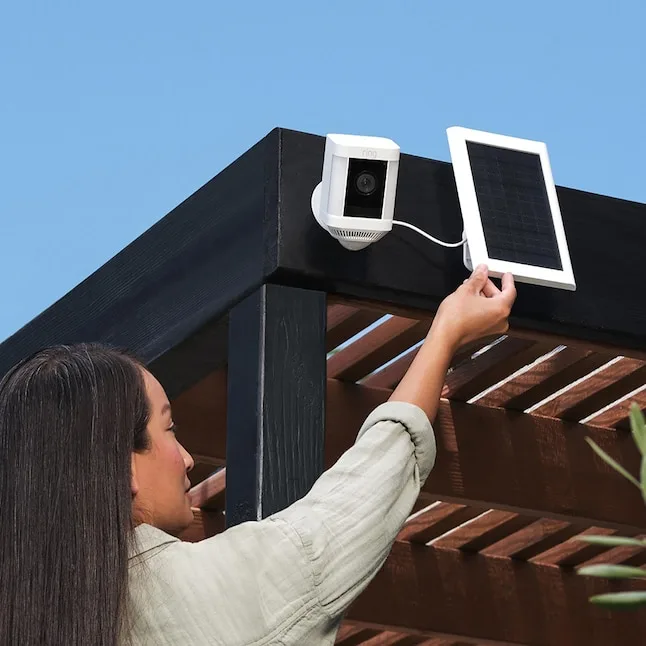
Image source: Bing (Web (fair-use with source credit))
A few adjustments make a big difference in rainy climates.
- Apply a hydrophobic coating to the lens. A few drops of a nano-coating product designed for optics can shed water within seconds. Reapply every 6 months.
- Tilt the solar panel 15 to 25 degrees. This angle sheds water and debris while maximizing light capture at most U.S. latitudes.
- Inspect gaskets and cable ports every season. Weatherproof grommets cost a few dollars and prevent most water intrusion issues.
- Add a 4G/LTE backup module if Wi-Fi reliability is a concern. These modules keep the camera online even when storm conditions knock out your router connection.
- Use a local NVR or SD card instead of relying solely on cloud storage. Cloud uploads can stall when your internet drops during storms.
- Clean panels before rainy season starts. Dust and grime reduce output. A quick wipe with a soft cloth before monsoon or storm season makes a real difference.
Solar Security Camera Questions About Rain and Weather
Do solar cameras work at night in the rain?
Yes, solar cameras record at night in the rain, but image quality depends on your model. Cameras with starlight sensors or large aperture lenses (f/1.0 to f/1.6) capture clearer footage in low light. Standard IR cameras may show washed-out images when water reflects the infrared light.
Will a solar camera work during a storm?
A well-rated IP66 or IP67 camera will keep operating during a storm as long as its battery has charge. Solar panels lose output during storms, so the battery carries the load. If you're in a prolonged storm system, ensure your battery has enough capacity to run for 3 to 5 days without sun.
How many cloudy days can a solar camera handle?
Most solar security cameras with a 6000mAh battery and 2W panel handle 2 to 3 cloudy days. Bumping to a 10000mAh battery extends that to about 5 days. Per NREL data, average daily solar irradiance in many U.S. regions during winter is well below the 5 to 6 hours needed for full battery replenishment.
What IP rating do I need for heavy rain?
For heavy rain, you need IP66 at minimum. IP65 handles steady rain but not high-pressure water jets. IP67 adds submersion protection for flood-prone areas.
Choose IP67 or IP68 if your camera will be directly exposed to storms or near water sources.
Do solar cameras work in snow?
Yes, solar cameras work in snow, but they need attention. Snow cover on the panel blocks sunlight and reduces charging. Cold temperatures drain lithium-ion batteries faster.
Choose IP67 rated models for snow conditions and clean the panel regularly during winter.
The Verdict: Do Solar Security Cameras Work in the Rain?
Do solar security cameras work in the rain? Yes, they do, when you choose the right specifications for your climate. An IP66 or IP67 rated camera with a 10000mAh battery and a properly sized solar panel will run reliably through storms, rain, and cloudy seasons.
The key is matching your setup to your conditions. If you're in a tropical monsoon zone, rain is constant but sun returns often. In a temperate rain belt, plan for longer battery buffers.
In extreme storm regions, invest in IP67 and hybrid 4G/LTE connectivity.
Don't go cheap on the IP rating or battery capacity. Those are the two specs that determine whether your camera survives its second wet season or fails quietly at 2 AM during a storm.