Do Solar Security Cameras Use Cloud Storage?
Do solar security cameras use cloud storage? The answer depends entirely on the brand, the model, and how much you're willing to pay for ongoing subscriptions. Some cameras push all video to the cloud by default.
Others skip the cloud completely and record straight to a microSD card.
In our research across major solar camera brands as of 2026, local storage capacity typically ranges from 64GB to 256GB per microSD card. That works out to roughly 3 to 7 days of event-based recording at 1080p resolution. Let's break down how each storage method works and which one fits your situation.
Quick Answer
Solar security cameras do use cloud storage, but not all of them. Many solar cameras support local storage through microSD cards. Some models rely entirely on cloud subscriptions.
Others offer both cloud and local storage options. The storage method depends on the brand and model you choose.
Do Solar Security Cameras Use Cloud Storage? The Short Answer
Some solar security cameras use cloud storage. Many don't. The difference comes down to the manufacturer's design approach and the price tier of the camera.
Reolink's SolarCam line supports local microSD storage up to 128GB without requiring any cloud subscription. Eufy takes a similar approach, storing footage locally through its app with no mandatory cloud fee. These brands built their solar cameras for people who want to avoid recurring costs.
On the other hand, brands like Google Nest and Arlo lean heavily on cloud recording. Their solar-compatible models typically require a subscription for recorded clips beyond a limited free tier. As of 2026, Arlo's basic cloud plan runs about $4.99 per month.
Some cameras offer hybrid setups. You get a microSD card for local backup and a cloud subscription for off-site storage. That combination gives you redundancy in case the camera is stolen or damaged.
The quickest way to find out what your camera uses? Check the manufacturer's spec sheet for "local storage" or "microSD" support before you buy.
How Solar Security Cameras Store Video: Cloud, Local, and Hybrid Explained
There are three main ways a solar security camera handles recorded video.
Cloud storage means the camera uploads clips to the manufacturer's remote servers. You play them back through the brand's app on your phone. This works from anywhere with an internet connection.
The catch is that many brands charge a subscription fee for cloud recording beyond a very limited free window.
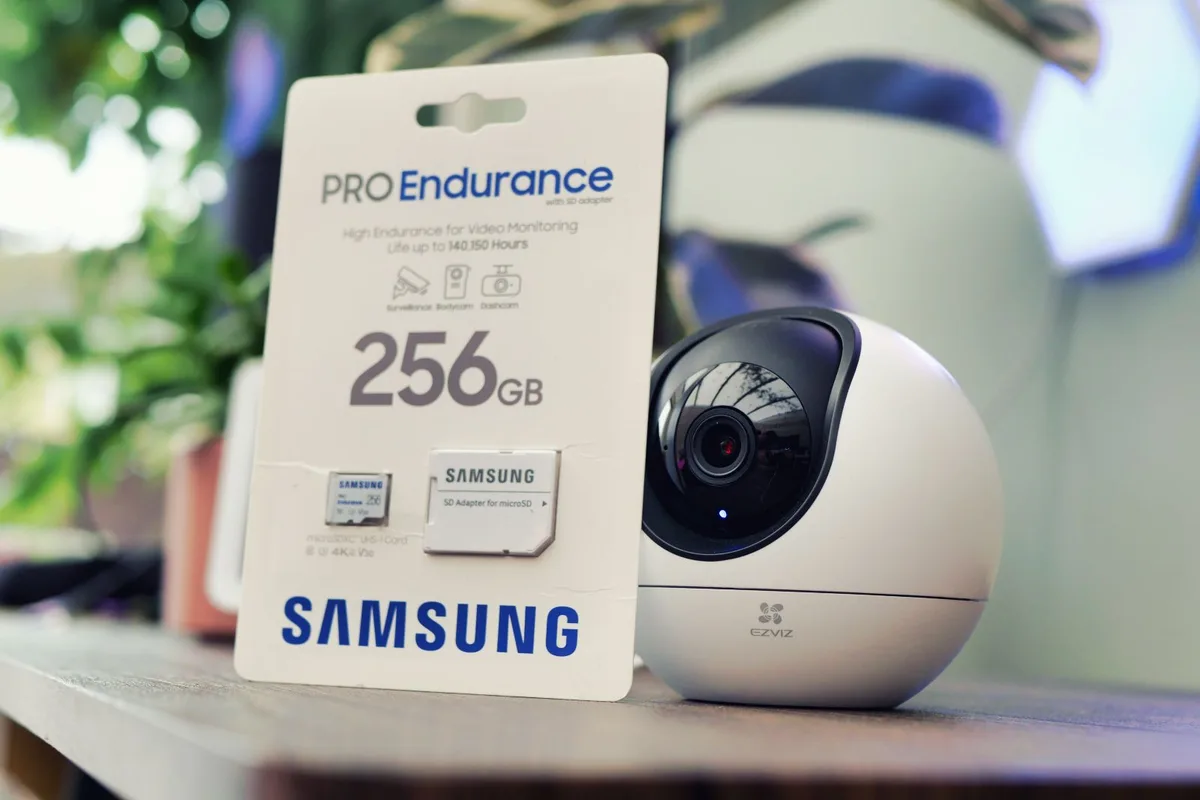
Local storage keeps everything on a microSD card inserted into the camera itself. No subscription needed. Playback happens through the camera's app when you're on the same Wi-Fi network.
A 128GB card holds roughly 7 days of event-based clips at 1080p, depending on motion frequency.
Hybrid storage combines both. Footage saves locally first, then uploads select clips to the cloud as a backup. If the camera gets stolen, your microSD card goes with it, but the cloud copies survive.
Most solar cameras support RTSP (Real-Time Streaming Protocol), which lets you stream video directly to a local NVR (Network Video Recorder) without touching the cloud at all. Check ONVIF compliance if you want this option, since it ensures broad compatibility across camera brands and NVR systems.
The Decision Tree: Which Storage Setup Is Right for Your Solar Camera?
Your storage choice depends on a few key conditions. Here's how to think through it.
If your camera has a microSD card slot, you can run it with zero cloud cost. Insert a 64GB to 256GB card, format it in the app, and let it record locally. This is the simplest, most affordable setup.
If your property has reliable Wi-Fi and you want remote playback, cloud storage makes sense. You'll get alerts and access from anywhere. Just factor in the subscription cost, which averages $3 to $10 per month as of 2026.
If you need footage off-site for security, in case the camera is stolen or vandalized, go hybrid. Local storage for daily recording, cloud backup for critical clips.
If you're in a remote area with limited or no internet, skip cloud entirely. Choose a solar camera with a microSD slot and optional NVR support. Cloud storage is useless without connectivity.
If you're on a tight budget long-term, prioritize local storage. A one-time microSD card purchase beats a $60/year subscription over five years.
Do Solar Cameras Work Without Cloud or Internet?
Yes. Many solar security cameras are designed to work completely offline.
If your camera has a microSD card slot, all recording, playback, and motion detection happen locally. The camera doesn't need an internet connection to save footage. It still needs one to send push notifications to your phone, but the core recording function works without it.
This matters most in off-grid setups, rural properties, and areas with spotty Wi-Fi. Brands like Reolink and Annke specifically market their solar cameras for these scenarios. NVR integration takes it further.
You can record footage from multiple cameras to a single central unit with no cloud dependency at all.
That said, even offline cameras benefit from regular firmware updates. Those usually do require an internet connection to download. NIST has published guidance on keeping IoT devices like security cameras patched and secure, and the advice applies whether you're cloud-connected or not.
The trade-off is simple. Without internet, you won't get real-time motion alerts on your phone. You'll need to check the camera physically or wait until you're back on Wi-Fi to review footage.
For many users, that's a fair deal for zero subscription costs.
Costs: Cloud Subscription Fees vs. Local Storage for Solar Cameras
The cost difference between cloud and local storage is significant over time.
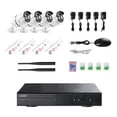
Here's a side-by-side comparison:
| Cost Factor | Cloud Storage | Local (microSD) |
|---|---|---|
| Upfront cost | $0 (usually included) | $10 to $30 for microSD card |
| Monthly fee | $2.99 to $19.99 | $0 |
| Annual cost | $35 to $240 | $0 |
| 5-year total | $175 to $1,200 | $10 to $30 |
| Storage capacity | Unlimited (server-side) | 64GB to 256GB per card |
| Remote access | Yes (from anywhere) | Limited (same Wi-Fi network) |
| Off-site backup | Yes | No (unless hybrid) |
Some brands offer free cloud tiers. Eufy provides local video access at no cost, and Reolink allows microSD playback without any subscription. These models are designed to sidestep the recurring-cost model entirely.
If you're comparing long-term value, local storage wins by a wide margin. The NVR route costs more upfront but scales better for multi-camera setups with no ongoing fees.
Mistakes to Avoid When Choosing Storage for a Solar Security Camera
Assuming every solar security camera records to the cloud by default is the most common mistake. Many entry-level and mid-range models skip cloud storage entirely and rely on microSD cards. Always check the spec sheet for "local storage" or "microSD card slot" before you commit to a purchase.
Using a cheap microSD card is another trap. Off-brand cards from unverified sellers are prone to corruption and early failure. Stick with reliable brands like SanDisk or Samsung, and buy from authorized retailers.
Your footage is only as safe as the card it's stored on.
Forgetting to format the microSD card in the camera's app is a frequent headache. A card formatted on a computer doesn't always register correctly in the camera. Format it through the app during setup to prevent playback errors and corrupted clips later.
Not factoring in subscription costs is a big one. Some buyers assume cloud storage is free. Aggregate user reviews show frustration when a camera's paid plan kicks in after a short free trial.
Read the fine print on cloud plans before purchasing.
Ignoring RTSP and ONVIF support limits your future options. If you want to connect the camera to a local NVR down the road, confirm both standards are listed in the specs. It's cheaper to check upfront than to replace hardware later.
Frequently Asked Questions
Do all solar security cameras have cloud storage?
No. Many solar security cameras do not use cloud storage at all. Brands like Reolink and Eufy offer models that record entirely to microSD cards without any cloud subscription.
Always check the manufacturer's specifications for local storage support before buying.
Can a solar security camera work without Wi-Fi?
Yes. If the camera has a microSD card slot, it records locally without any internet connection. You won't get real-time motion alerts on your phone, but footage saves to the card and you can review it once connected to Wi-Fi again.
How much footage fits on a microSD card?
A 128GB microSD card holds roughly 7 days of event-based recording at 1080p resolution. A 64GB card covers about 3 days. Higher resolutions like 2K or 4K reduce these windows significantly.
Continuous 24/7 recording fills cards much faster than motion-triggered clips.
Is local storage safer than cloud storage?
It depends on your threat model. Local storage keeps footage on-site, which means a stolen camera takes the recordings with it. Cloud storage keeps copies off-site but requires trust in the manufacturer's servers.
Hybrid setups that use both give you the strongest protection overall.
How much do cloud storage plans cost for solar cameras?
As of 2026, cloud plans range from $2.99 to $19.99 per month depending on the brand and features. Annual costs run $35 to $240. Some brands offer free tiers with limited storage or short retention windows.
Factor in long-term costs before choosing a cloud-dependent camera.
Final Recommendation
If you want zero ongoing costs and don't need remote access, a solar camera with microSD local storage is your best bet. Reolink and Eufy both offer strong options with no mandatory cloud subscriptions. A 128GB card covers most homeowners' needs for a full week of recordings.
If you travel frequently or want off-site backup, go hybrid. Look for cameras that support both local storage and an optional cloud plan. This way, your daily recordings stay on the microSD card, and critical clips get backed up remotely.
If your property lacks reliable internet, skip cloud entirely. Choose a solar camera with RTSP or ONVIF support so you can connect it to a local NVR system. This setup works fully offline and scales easily to multiple cameras.
Cloud storage is an option for solar security cameras, not a requirement. Your storage strategy should match your property's connectivity, your budget, and how much redundancy you actually need.