How Do You Reset A Solar Motion Light?: Quick Fix Guide
Most solar motion lights reset by switching them off, removing power, then restoring power after a short wait.
A solar motion light can stop responding after a storm, battery change, wiring issue, or accidental setting change. I have found that most reset problems are simple: the light is still in test mode, the battery is too weak, or the solar panel has not received enough sunlight. This guide explains how to reset a solar motion light safely, how to test each setting, and what to do when a reset does not solve the problem.
How do you reset a solar motion light?
The basic reset process works for many outdoor solar security lights. However, button names and switch positions can differ by brand and model. Check the product manual if your light has a remote, digital controls, or a special reset button.
Follow these steps:
- Turn the light’s power switch to the “Off” position.
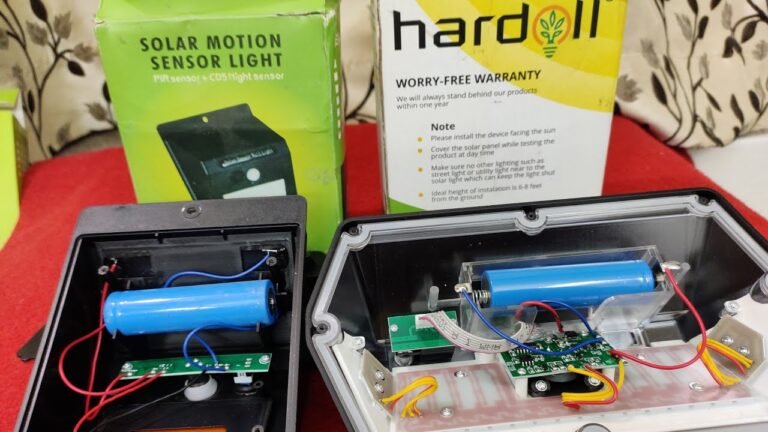
- Remove the rechargeable battery if it is easy and safe to access.
- Wait at least 30 seconds. Waiting five minutes can help clear stored settings.
- Reinstall the battery with the positive and negative ends aligned correctly.
- Turn the power switch to “On.”
- Cover the solar panel with your hand or a dark cloth.
- Walk in front of the motion sensor to test the light.
Some models use a small “Reset” button near the battery compartment. Press and hold it for about 3 to 10 seconds while the light is switched off, then restore power. Do not press random buttons if the manual gives a different method.
A reset usually clears temporary errors. It may not restore a worn-out battery, a blocked sensor, or a damaged solar panel.
Why reset a solar motion light?
Resetting a solar motion light can restore normal operation after its control system becomes confused. This may happen when the light switches between test, auto, and manual modes.
A reset may help when:
• The light stays on all night.
• The light never turns on at night.
• The motion sensor stops detecting movement.
• The light flashes or turns off too soon.
• The settings change after a battery replacement.
• The light remains on during the day.
• The remote control no longer works correctly.
Think of a reset as restarting a small computer. It clears a temporary problem, but it cannot repair broken hardware. If the battery has lost capacity or the panel is shaded, the light may still fail after the reset.
In my experience with outdoor lighting checks, users often replace the whole light too soon. A proper power cycle, a clean panel, and a fresh rechargeable battery solve many problems within a few minutes.

How to reset different types of solar motion lights
Not every solar motion light resets in the same way. Identify the control style before you begin.
Lights with an on and off switch
These are the most common models. Use this process:
- Move the switch to “Off.”
- Remove the battery for 30 seconds.
- Reinstall the battery.
- Move the switch to “On.”
- Leave the light in direct sunlight for one full day.
- Test it after dark.
Some lights will not work if the switch is left in the “Off” position during charging. The battery may charge in some models while switched off, but the control circuit may not activate until you select “On.”
Lights with an auto, test, or manual mode
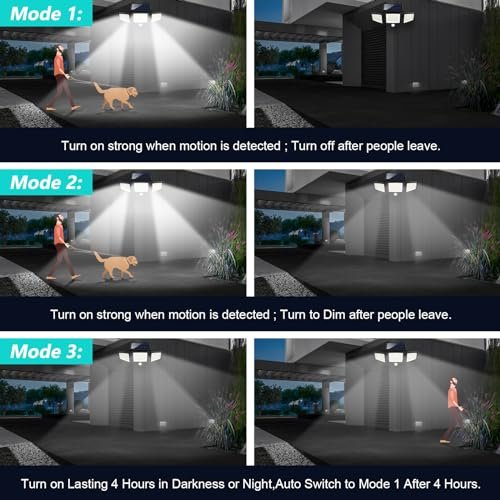
Many motion lights include three settings:
• Test mode activates the light during the day or night for setup.
• Auto mode activates the light only when it is dark and motion is detected.
• Manual mode may keep the light on for a set time.
To reset this type, switch the light to “Off,” wait, and then select “Auto.” If it stays in test mode, cover the solar panel and walk across the sensor. The light should turn on for the time set by the duration control.
Lights with a reset button
A reset button may sit under a rubber cover, inside the battery compartment, or beside the motion sensor. Press it with a fingertip or a blunt plastic tool.
Do not use a sharp metal object near the battery. A short circuit can damage the battery or cause heat. Hold the button only as long as the manual recommends.
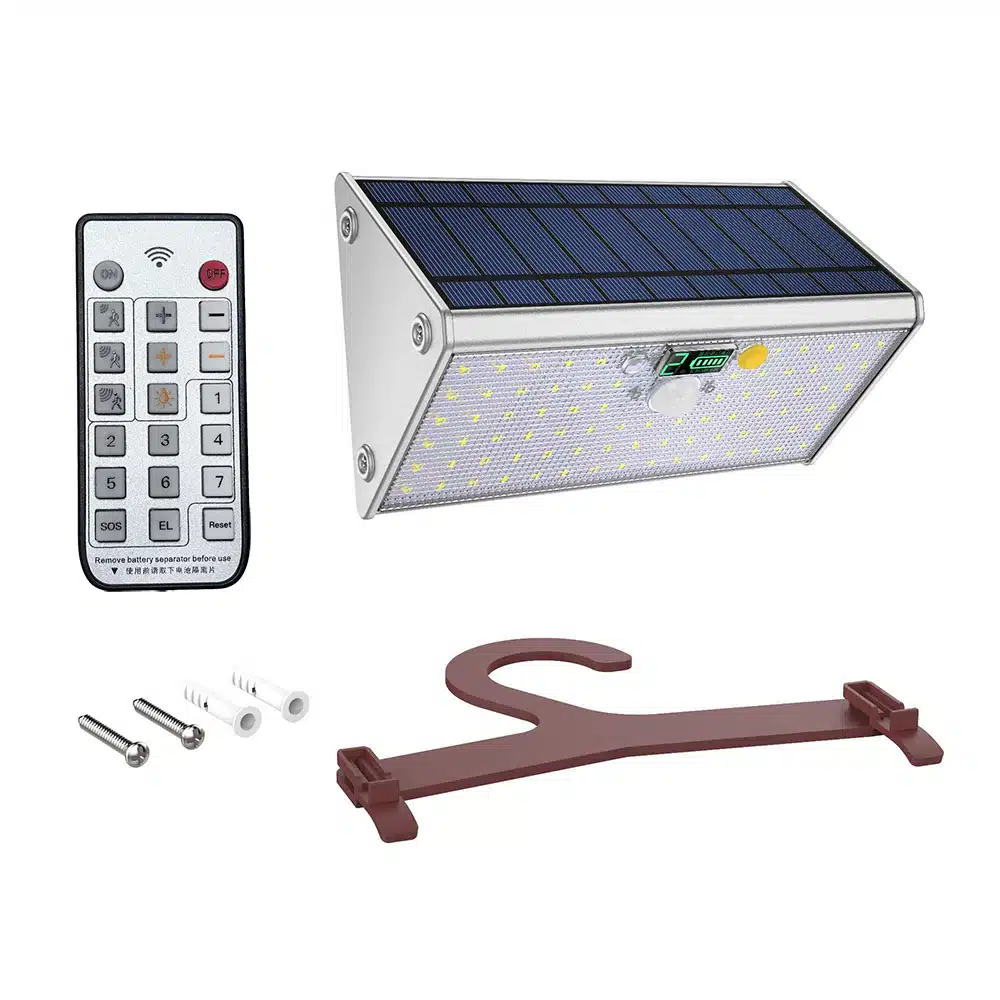
Lights with a remote control
For a remote-controlled solar motion light, first replace the remote battery. Then turn the fixture off, remove its main battery, wait one minute, and restore power.
Some remote models need pairing after a reset. Point the remote at the receiver and press the power or setup button. The exact pairing method varies, so the manual is the best guide.
What to check before resetting the light
A reset is useful, but it should not be the first step in every case. Inspect the light before removing the battery.
Check the power switch
The switch may be hidden under the light or behind a rubber seal. Make sure it is fully in the correct position. A switch halfway between “On” and “Off” can stop the control system from working.
Check the solar panel
Dust, pollen, bird droppings, and tree sap can block sunlight. Clean the panel with a soft, damp cloth. Avoid abrasive cleaners, rough sponges, and high-pressure water.
The panel needs direct sun for reliable charging. A light placed under a porch roof or beside a tall wall may receive too little energy, even if the area looks bright.
Check the rechargeable battery
Most solar motion lights use rechargeable nickel-metal hydride batteries. Some newer models use lithium-ion batteries. Use the same battery type, voltage, and size listed on the product label.
Never install a standard disposable alkaline battery unless the manufacturer specifically allows it. Disposable batteries are not made for repeated solar charging and may leak or become unsafe.
Check the motion sensor
Make sure leaves, webs, decorations, or dirt do not cover the sensor. Also check the sensor angle. If it points toward a busy road, a warm vent, or moving tree branches, it may trigger too often.
Heat can affect passive infrared sensors. A sensor aimed at a hot wall may behave differently from one aimed across a cool yard.

How to reset a solar motion light step by step
Use this complete method when you want the safest general reset.
Step 1: Choose a safe time
Reset the light during the day. You will have better visibility, and the panel can begin charging after the reset. If the fixture is mounted high, use a stable ladder and ask someone to support it.
Step 2: Switch the light off
Find the main power switch and move it to “Off.” If the light has a separate mode dial, note its current settings before changing anything.
Taking a quick photo can help you restore the settings later.
Step 3: Remove the battery
Open the battery cover. Look for corrosion, moisture, or loose wires. If you see white, green, or powdery buildup, stop and clean the area only if the manual allows it.
Do not handle a swollen, cracked, or leaking battery. Place the fixture out of service and replace the battery with the correct approved type.
Step 4: Wait
Leave the battery out for at least 30 seconds. A longer wait of several minutes may help discharge stored power from the circuit.
This pause is important. Quickly removing and replacing the battery may not fully reset the electronics.
Step 5: Restore the battery
Insert the battery in the correct direction. Close the cover tightly so moisture cannot enter. A loose cover can cause corrosion and repeated failures.
Step 6: Turn the light on
Select “On” or “Auto,” depending on the model. “Auto” is usually the correct setting for normal nighttime motion detection.
Step 7: Allow a full charge
Place the solar panel in direct sunlight. Give the light one sunny day to charge before judging its performance. A cloudy day may not provide enough energy for a fair test.
Step 8: Test the sensor
At night, walk across the sensor’s field of view. Move from the side rather than straight toward it. Passive infrared sensors often detect side-to-side movement more easily.
If the light activates, the reset worked. Adjust the brightness, sensitivity, and timer controls one at a time.
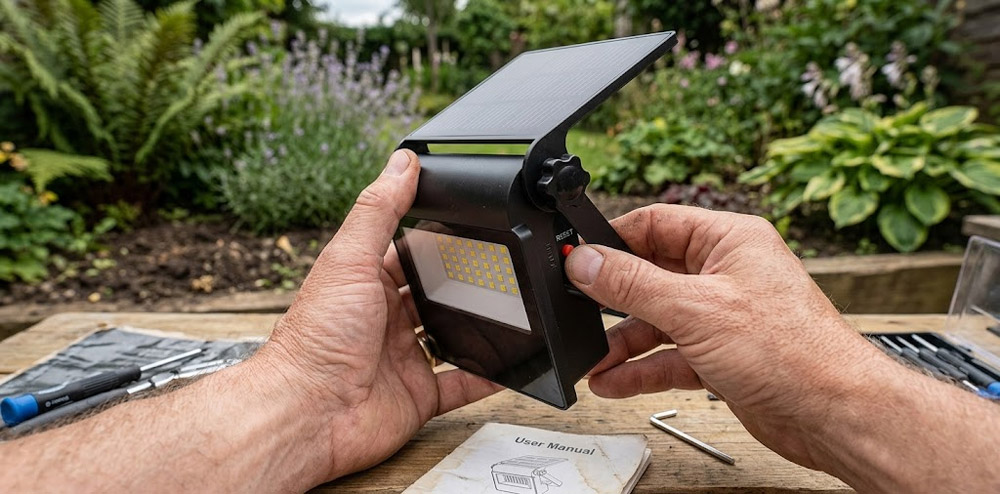
How to test the light after a reset
Testing one function at a time makes troubleshooting easier. Start with the light sensor, then check motion detection, brightness, and duration.
Cover the solar panel with a dark cloth to imitate nighttime. Do not place the cloth over a hot fixture for a long time. Walk across the sensor from several feet away.
A working light should:
• Stay off when no motion is present.
• Turn on when movement crosses the sensor.
• Remain on for the selected duration.
• Turn off after the motion timer ends.
• Recharge during daylight.
If the fixture works when the panel is covered but not at night, the light sensor may be receiving too much nearby light. A porch lamp, streetlight, or bright window can prevent the unit from entering night mode.
If it does not work even when the panel is covered, inspect the battery, switch, wiring, and sensor.
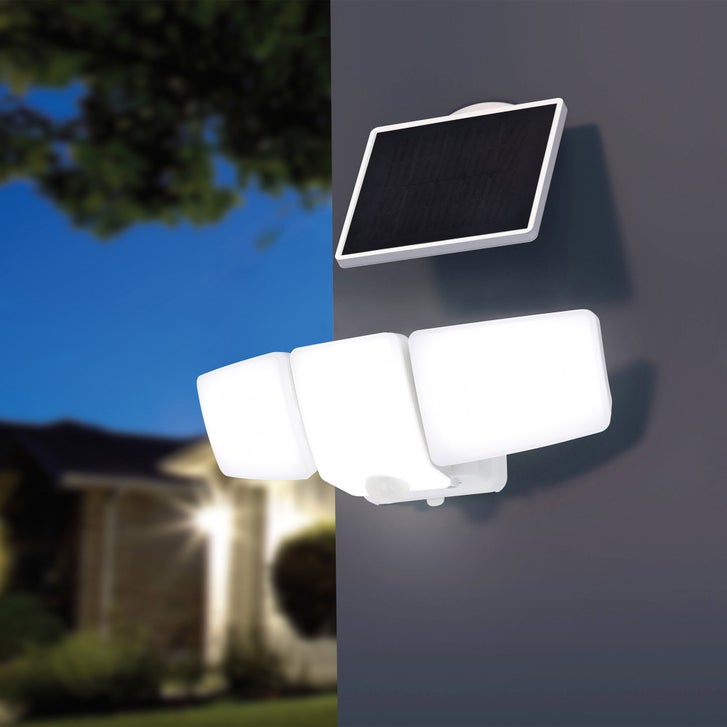
Common reasons a reset does not work
A solar motion light can fail for reasons that a reset cannot fix.
Weak or old battery
Rechargeable batteries lose capacity over time. A light may turn on briefly but shut off after a few seconds because the battery voltage drops under load.
Replace the battery if it is several years old, does not hold a charge, or shows swelling or leakage. Choose the exact voltage and capacity recommended by the manufacturer.
Too little sunlight
The light may need several hours of direct sunlight each day. Shade from trees, fences, roof edges, and seasonal changes can reduce charging.
Move the panel if possible. A south-facing position often receives strong sun in the United States, but the best direction depends on your location and the panel’s angle.
Dirty or damaged solar panel
A cloudy panel cover can reduce charging. Cracks, deep scratches, and water inside the panel can also limit output.
Clean minor dirt with a soft cloth. Replace the fixture or panel if it has serious damage.
Incorrect mode
The light may be in “Off,” “Test,” or “Manual” mode. Return it to “Auto” for normal operation.
This is one of the most common mistakes because mode switches are often small and difficult to read in low light.
Blocked or faulty sensor
Spider webs and dirt can reduce motion detection. Remove them gently, then aim the sensor away from heat sources and moving objects.
If the sensor remains unresponsive after a reset and a battery replacement, it may be damaged.
Water or corrosion
Outdoor lights need weather protection, but seals can fail. Moisture near the battery or circuit board can cause random behavior.
Turn the light off before inspecting it. Do not use it again until the inside is dry and any damaged seal is repaired.
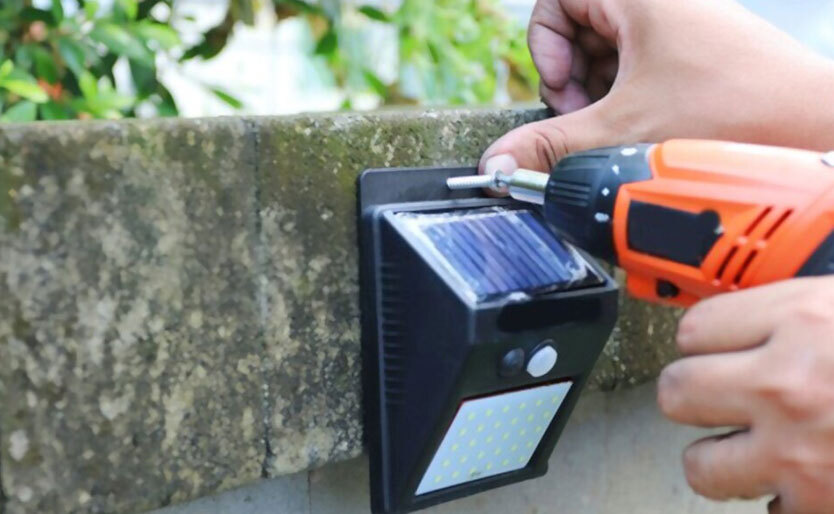
How to adjust solar motion light settings after resetting
A reset often returns the fixture to default settings. Adjust each control slowly.
Sensitivity
Sensitivity controls how much movement the sensor detects. Start with a middle setting. Increase it if the light misses people, and reduce it if pets or tree branches trigger the light.
Duration
The timer controls how long the light stays on. Start with a short period, such as 30 seconds. A longer setting uses more stored energy and may reduce nighttime runtime.
Brightness
Higher brightness provides better visibility but uses more battery power. Choose the lowest level that safely lights your walkway, steps, or entry area.
Sensor direction
Point the sensor toward the area where movement is expected. Avoid aiming it directly at a road or sidewalk if passing cars and pedestrians cause unwanted activation.
Make one change at a time. This approach shows which setting caused the improvement and prevents confusing results.

Safety tips when resetting a solar motion light
Solar lights are usually low voltage, but they still contain batteries and electronic parts. Use care during a reset.
• Turn the light off before opening the battery compartment.
• Keep water away from exposed electronics.
• Use only the correct rechargeable battery.
• Do not mix old and new batteries.
• Do not mix battery brands or chemistries.
• Stop if you see swelling, leaks, smoke, or a burning smell.
• Wear gloves when handling corroded battery contacts.
• Use a stable ladder for mounted fixtures.
• Follow the product manual for battery disposal.
If the light is connected to household wiring rather than only a solar panel and battery, treat it as an electrical installation. Turn off the circuit breaker and contact a qualified electrician if you are unsure.

When should you replace the solar motion light?
Replacement may make more sense when the light has several serious problems. A new battery can restore many older fixtures, but it cannot fix a cracked panel, failed circuit board, or broken housing.
Consider replacement when:
• The solar panel is badly cracked.
• Water repeatedly enters the housing.
• The light fails with a new, correctly installed battery.
• The sensor does not respond after cleaning and resetting.
• The battery compartment has heavy corrosion.
• The fixture is too dim for the area.
• Replacement parts cost nearly as much as a new light.
Choose a model with a replaceable battery, a sealed housing, and adjustable motion controls. A separate solar panel can also help when the light must sit in a shaded location.
Frequently Asked Questions About How do you reset a solar motion light?
How long should I leave a solar motion light off before resetting it?
Leave the light off with the battery removed for at least 30 seconds. Waiting several minutes can help clear stored power and temporary settings.
Why is my solar motion light still on after I reset it?
The light may be in manual or test mode, or a nearby lamp may be confusing its day and night sensor. Check the mode switch, cover the solar panel, and test the motion sensor again.
Do I need to remove the battery to reset a solar motion light?
Not always. Some models reset when you switch them off and press a reset button, but removing the battery is the more complete general method when the manual permits it.
How long does a solar motion light need to charge after a reset?
Give it a full day of direct sunlight before testing normal nighttime performance. A cloudy day, shade, or a dirty panel can extend the charging time.
Can I reset a solar motion light without a manual?
You can try switching it off, removing the battery for 30 seconds, reinstalling it, and selecting “Auto.” If that fails, find the model number and use the manufacturer’s instructions.
Why does my solar motion light turn on but go off quickly?
The battery may be weak, the panel may not be charging well, or the timer may be set to a short duration. Clean the panel, allow a full charge, and test with a fresh approved rechargeable battery.
Will resetting erase the motion light settings?
Some models return to factory settings, while others keep the sensitivity and timer controls unchanged. Record the settings before resetting if you want to restore them accurately.
Conclusion
Resetting a solar motion light usually takes only a few minutes: switch it off, remove the battery, wait, reinstall the battery, select Auto, and allow the panel to recharge. Clean the solar panel, check the battery, clear the motion sensor, and test the light after dark.
A reset cannot repair major water damage, a failed sensor, or a worn-out battery. Start with the simple checks, use the correct replacement parts, and follow the product manual for model-specific instructions. If this guide helped, share your experience or explore more practical outdoor lighting tips for a safer, brighter home.