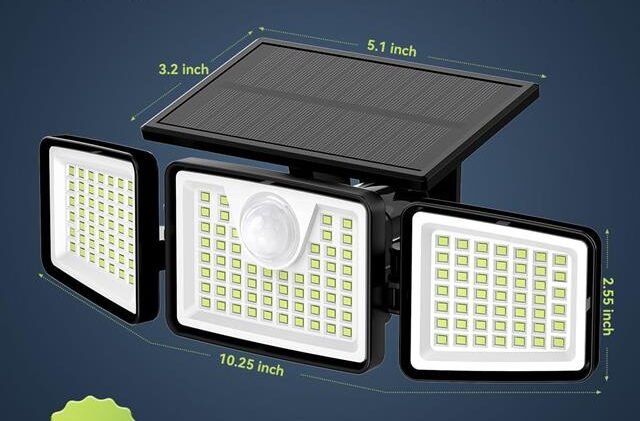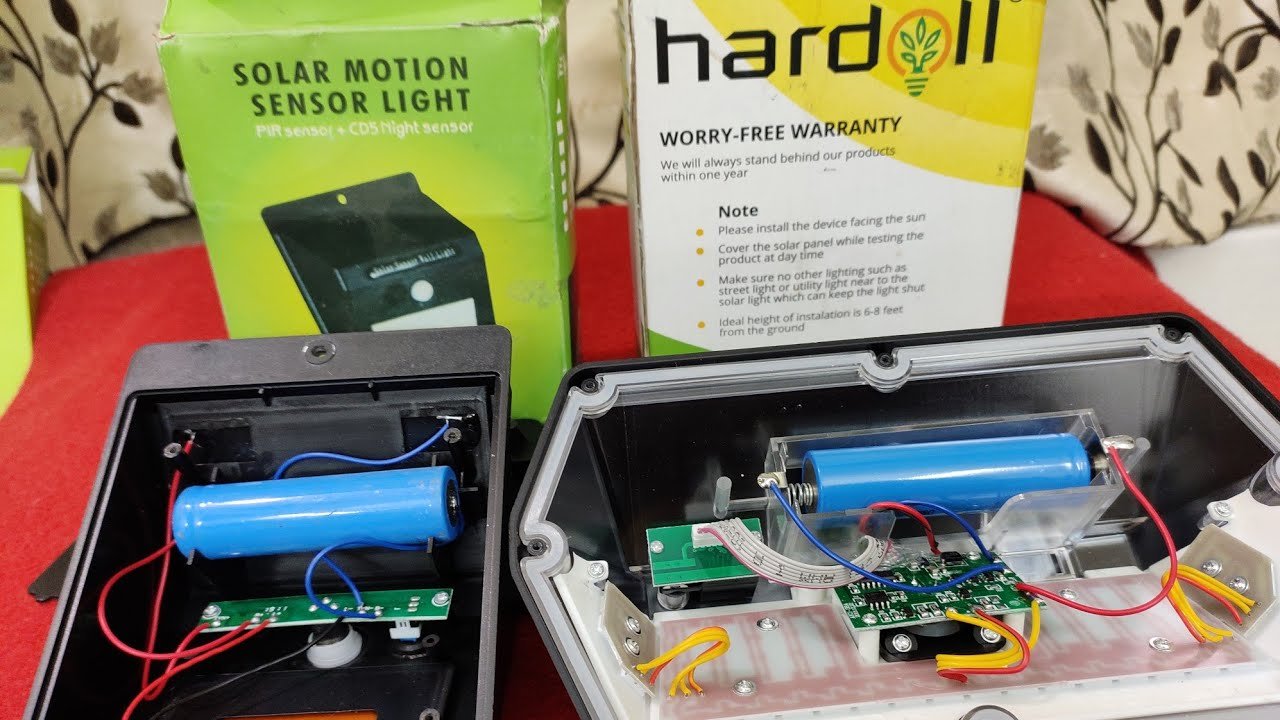
How To Replace A Solar Motion Light Battery: Easy Guide
Most solar motion lights need a matching rechargeable battery, a clean panel, and careful access to the battery compartment.
Learning how to replace the battery in a solar motion light can restore bright night lighting without buying a new fixture. The job is usually simple, but battery type, polarity, weather seals, and safe handling all matter. This guide explains the process step by step, including what to check when a new battery does not solve the problem.
How a Solar Motion Light Battery Works
A solar motion light uses a small solar panel to turn sunlight into electrical energy. The light stores that energy in a rechargeable battery during the day. At night, a motion sensor activates the LED lamp and draws power from the battery.
Most outdoor solar lights use one of these rechargeable battery types:
• Nickel-metal hydride, or NiMH, batteries are common in newer lights.
• Nickel-cadmium, or NiCd, batteries may appear in older models.
• Lithium-ion batteries are used in some advanced or high-output lights.
The battery may look like a standard AA or AAA cell, but a normal alkaline battery is not a safe substitute. Alkaline batteries are not designed for repeated charging. Using one can cause leakage, damage, or overheating.
Before you replace the battery in a solar motion light, read the label inside the battery compartment. Look for the battery chemistry, voltage, capacity, and size. A battery with the same voltage and chemistry is the safest choice.
Signs Your Solar Motion Light Needs a New Battery
A weak battery is not the only reason a solar motion light may fail. Still, several symptoms point strongly to battery wear.
You may need to replace the battery in a solar motion light when:
• The light turns on but becomes dim within a few minutes.
• The light works after a sunny day but fails after a cloudy day.
• The lamp flashes, flickers, or shuts off when motion is detected.
• The light runs for a much shorter time than it did before.
• The solar panel receives good sunlight, but the light still will not charge.
• The battery is swollen, rusty, leaking, or visibly damaged.
Rechargeable batteries lose capacity over time. Heat, cold, repeated deep discharge, and poor charging can speed up this decline. Many outdoor solar light batteries last about one to three years, though the real life depends on the battery quality, climate, and daily use.
Before opening the light, clean the solar panel and place the power switch in the off position. If the light still fails after a full sunny day, battery replacement is a reasonable next step.

What You Need Before Replacing the Battery
Gather the right tools before you start. Most solar motion lights need only a few basic items.
• A matching rechargeable battery
• A small Phillips or flat-head screwdriver
• A clean, dry cloth
• A soft brush or cotton swab
• Safety glasses for damaged or leaking batteries
• A small container for screws
Check the replacement battery carefully. Match these details:
• Battery chemistry, such as NiMH or lithium-ion
• Voltage, such as 1.2 volts or 3.7 volts
• Physical size
• Capacity, measured in milliamp-hours, or mAh
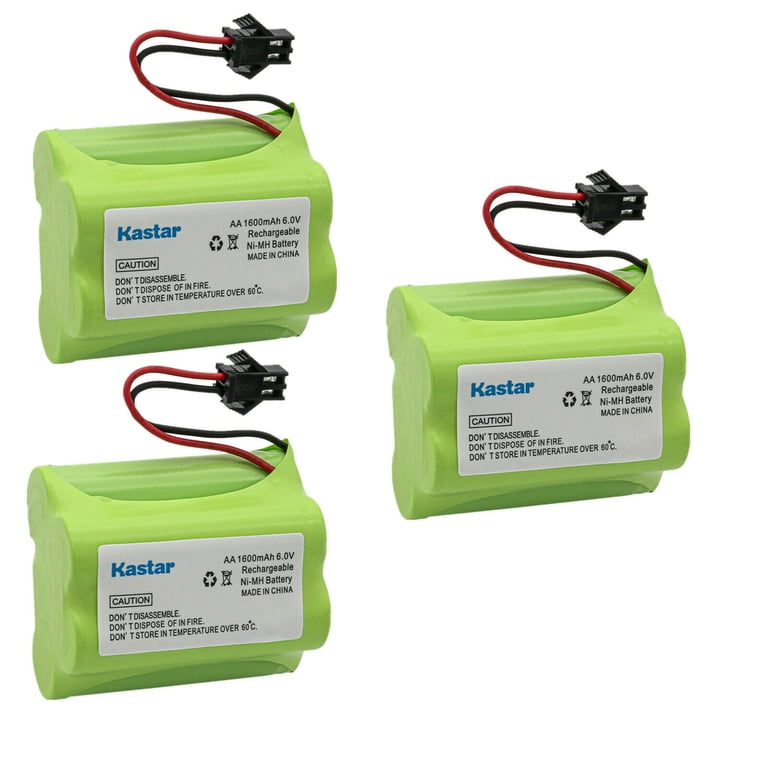
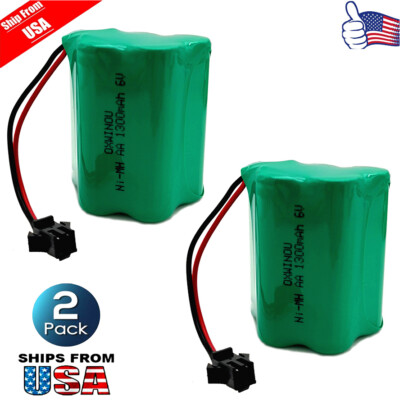
• Connector type, if the battery uses a plug
A higher mAh rating may provide longer run time, but it is not always the best choice. The solar panel must be able to recharge the battery. A very large battery may stay partly charged if the panel is small or sunlight is limited.
If the old battery has a connector, buy a battery with the same connector. Do not cut and join wires unless you understand the circuit and can insulate the connection correctly.

How Do You Replace the Battery in a Solar Motion Light?
The process differs slightly by model, but these steps work for many common fixtures.
1. Turn the light off
Find the power switch and move it to the off position. Some lights have a separate test mode, so check that the lamp cannot activate while you work.
If the light is mounted high on a wall, use a stable ladder on level ground. Ask another person to steady the ladder. Never stretch sideways while holding tools.
2. Remove the light cover or battery door
Look for screws on the back, underside, or front of the light. Remove them slowly and place them in a container.
Some models use a sliding battery cover. Others have a rubber plug or sealed rear panel. Do not force the cover. A cracked housing can allow rain to reach the circuit board.
3. Photograph the battery placement
Before removing the old battery, take a quick photo. Note the positive and negative ends, wire colors, and connector position.
This small step prevents one of the most common mistakes when people replace the battery in a solar motion light: installing the battery backward.
4. Remove the old battery
Lift the battery from its holder or unplug its connector. Hold the battery by its sides. Avoid pulling hard on thin wires.
If you see corrosion, leakage, swelling, or a strong chemical smell, stop and wear gloves and safety glasses. Do not touch the residue with bare skin. Place the damaged battery in a plastic bag and follow local battery recycling rules.
5. Inspect and clean the compartment
Check the terminals and wires for rust, white residue, loose contacts, or burned areas. Use a dry cloth or soft brush to remove light dust.
Do not pour water or household cleaner into the compartment. If corrosion is severe, the contacts may need repair. In that case, replacing the battery alone may not fix the light.
6. Install the new battery
Place the new battery in the same direction as the old one. Match the positive and negative markings. If the battery has a connector, push it firmly into the matching socket without bending the pins.
Never mix an old rechargeable battery with a new one in a multi-cell pack. Replace all cells together unless the manufacturer specifically allows another method.
7. Close the housing
Replace the cover and tighten the screws evenly. Do not overtighten them, because plastic threads can strip.
Make sure the rubber gasket sits in its groove. The gasket helps keep moisture away from the electronics. A missing or pinched seal can lead to failure after the next rainstorm.
8. Test the light
Cover the solar panel with a dark cloth or place the unit in a dark area. Walk in front of the motion sensor and check the light.
If it works, place the fixture where the panel receives direct sunlight. Allow the new battery to charge for one or two full sunny days before judging its maximum run time.
That is the basic answer to how do you replace the battery in a solar motion light: switch it off, open the compartment, match the battery, install it with correct polarity, reseal the housing, and allow a full charge.

Battery Safety Tips to Follow
Rechargeable batteries are small, but they still store energy. Safe handling protects both you and the light.
Follow these rules when you replace the battery in a solar motion light:
• Use only a rechargeable battery approved for the fixture.
• Never install an alkaline or single-use battery in a charging circuit.
• Do not puncture, crush, burn, or open a rechargeable battery.
• Keep batteries away from metal objects that could bridge the terminals.
• Do not use a battery that is swollen, hot, leaking, or badly corroded.
• Keep replacement batteries away from children and pets.
• Recycle old batteries through an approved collection point.
Lithium-ion batteries need extra care. If a lithium battery is swollen or damaged, do not charge or reuse it. Move away from the fixture and contact a local hazardous-waste or battery-recycling service for safe handling advice.
Most small NiMH solar light batteries are less hazardous, but they can still leak or heat up if shorted. Treat every battery as an electrical component, not as ordinary household waste.

What to Check if the New Battery Does Not Work
Sometimes people replace the battery in a solar motion light and still see no improvement. That does not always mean the new battery is defective.
Check the following parts:
Solar panel
Dirt, bird droppings, tree shade, and winter snow can reduce charging. Wipe the panel with a damp cloth, then dry it. Make sure nearby branches or walls do not block direct sunlight.
Power switch
The switch may be set to off, test, or a low-power mode. Move it through each setting and check the instructions printed on the fixture.
Motion sensor
A sensor aimed at a hot wall, busy road, or moving tree branch may behave oddly. Adjust the angle and remove anything that triggers false activation.
Battery contacts
Loose or rusty contacts can stop the charging current. Gently press a loose spring back into place only when the fixture is switched off and the battery is removed.
Wiring and circuit board
Broken wires, water damage, and burned parts need more than a battery change. A low-cost light may be easier to replace, while an expensive fixture may justify professional repair.
Charging conditions
A new battery may need a full day or two of strong sunlight. Testing it under a porch roof or on a cloudy day can give a false impression.
In my experience, the most common mistake is replacing the battery while the panel remains dirty or shaded. I once worked on a light that seemed dead after a battery change. The real problem was a thin layer of dust on the panel and a switch stuck between settings.

How to Extend Solar Motion Light Battery Life
A few simple habits can help the replacement battery last longer.
• Clean the solar panel every few months.
• Keep the panel facing the strongest available daylight.
• Avoid placing the fixture under a roof or dense tree canopy.
• Adjust the motion sensor so it does not trigger all night.
• Use a shorter lighting duration when the control allows it.
• Keep the battery compartment sealed and dry.
• Remove snow and heavy dirt from the panel during winter.
Cold weather can reduce battery performance for a short time. This does not always mean the battery is bad. In very cold regions, select a battery rated for the expected temperature range and follow the light maker’s instructions.
Do not leave the light switched off for months in a damp location without checking it. Long storage, moisture, and a fully discharged battery can shorten battery life.
When Should You Replace the Entire Solar Light?
Replacing the battery in a solar motion light is often cheaper and less wasteful than buying a new unit. However, a new light may make more sense when the circuit board, LED, sensor, or housing has failed.
Consider replacing the entire fixture if:
• The solar panel is cracked or badly clouded.
• Water has damaged the circuit board.
• The LED lamp is permanently dim.
• The motion sensor no longer responds.
• The battery compartment cannot close or seal.
• A compatible replacement battery is unavailable.
• The battery costs nearly as much as a new light.
A battery replacement will not repair a failed solar panel. It also will not restore an LED that has burned out. Diagnose the whole system before spending money on parts.

How to Dispose of the Old Battery
Do not place rechargeable batteries in regular trash or curbside recycling unless your local program specifically accepts them. Batteries can cause fires in waste trucks and recycling facilities when their terminals touch metal.
Cover exposed battery terminals with nonconductive tape. Store the old battery in a cool, dry place and take it to a battery collection box, electronics retailer, household hazardous-waste event, or local recycling center.
The exact rules vary by state and city. Check your local waste authority for current instructions, especially for lithium-ion batteries.
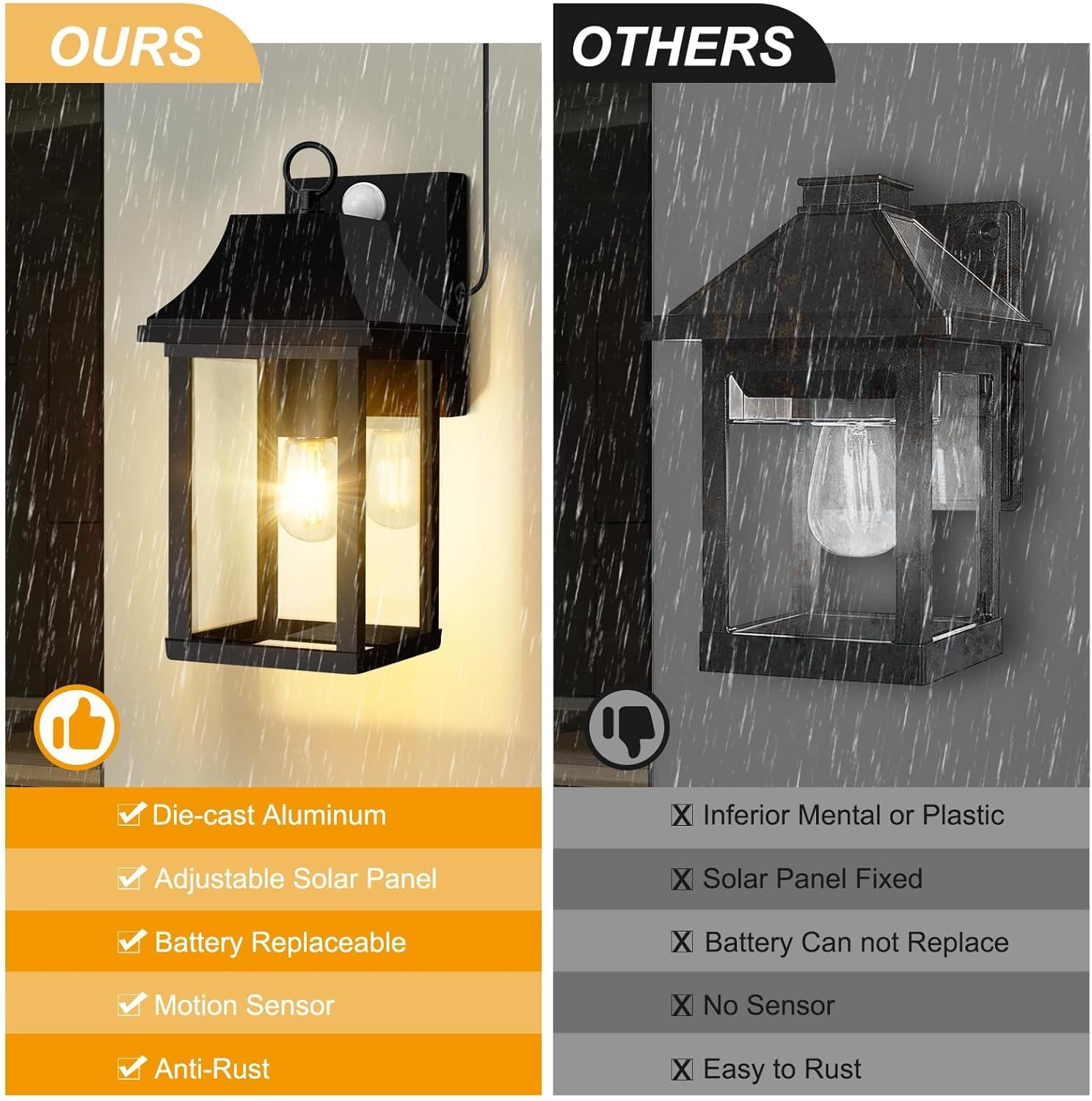
Frequently Asked Questions of How do you replace the battery in a solar motion light?
Can I put regular AA batteries in a solar motion light?
No. A solar light needs rechargeable batteries designed for its charging circuit, often NiMH or NiCd cells. Regular alkaline AA batteries may leak or become unsafe when the panel tries to charge them.
How often should I replace the battery in a solar motion light?
Many batteries last one to three years under normal outdoor use. Replace one sooner if the light becomes dim, runs briefly, or fails after several sunny days.
How do I know which battery to buy?
Read the label on the old battery or inside the light. Match the chemistry, voltage, size, capacity range, and connector.
Why is my solar light still not working after a battery change?
The panel may be dirty or shaded, the switch may be off, or the sensor and wiring may have failed. Give the new battery one or two sunny days to charge, then inspect these parts.
Can I use a higher-capacity rechargeable battery?
Sometimes, but only if the voltage, chemistry, size, and charging requirements match. A much higher capacity may not fully recharge with a small solar panel.
Is it safe to replace a swollen battery?
No. Do not charge, puncture, or reuse a swollen battery. Avoid contact, keep it away from heat, and use an approved battery-recycling or hazardous-waste service.
Do I need to remove the solar light from the wall?
Not always. If the battery door is easy to reach, you can work in place. Removing the fixture may be safer when the screws, wiring, or battery compartment are hard to access.
Conclusion
To replace the battery in a solar motion light, turn the unit off, open the battery compartment, match the rechargeable battery specifications, observe polarity, and reseal the housing. Clean the solar panel and allow the new battery to charge fully before testing its run time.
Use the correct battery chemistry, handle damaged cells with care, and inspect the sensor, wiring, and panel if the light still fails. With a few minutes of careful work, you can restore dependable nighttime lighting and extend the life of the fixture. Share your experience or explore more solar lighting guides for practical outdoor repair tips.