How Long Do Solar Motion Lights Stay On: Timing Guide
Most solar motion lights stay on for 20 to 60 seconds after detecting motion, though settings and models vary.
The exact answer to “How long do solar motion lights stay on after detecting motion?” depends on the light’s timer, sensor range, battery charge, and sunlight exposure. This guide explains how motion timers work, what affects run time, and how to adjust your light for better security and energy use.
Typical Run Time for Solar Motion Lights
Most solar motion lights stay on for about 20 to 60 seconds after they sense movement. Basic models often use a fixed timer, while better lights let you choose a time between a few seconds and several minutes.
The timer usually starts when the motion sensor detects activity. If someone keeps moving in front of the sensor, the light may stay on longer or restart its countdown. Some lights switch off only after the area has been still for the full delay period.
Common timer settings include:
• 10 to 30 seconds for walkways and steps
• 30 to 60 seconds for driveways and doors
• 1 to 5 minutes for yards, garages, and side gates
• Continuous or dusk-to-dawn lighting on selected models
So, how long do solar motion lights stay on after detecting motion? For most home uses, expect roughly half a minute to one minute.

How the Motion Light Timer Works
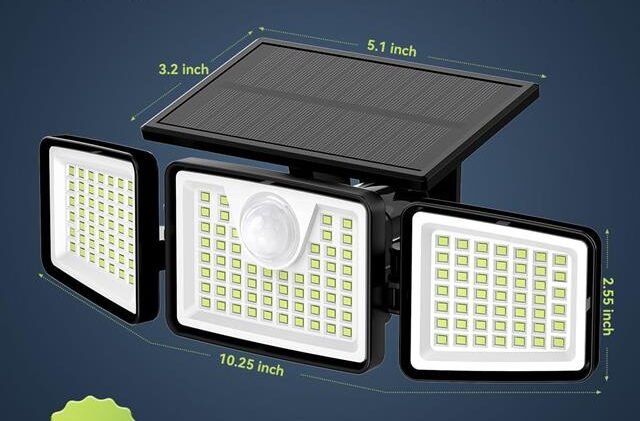
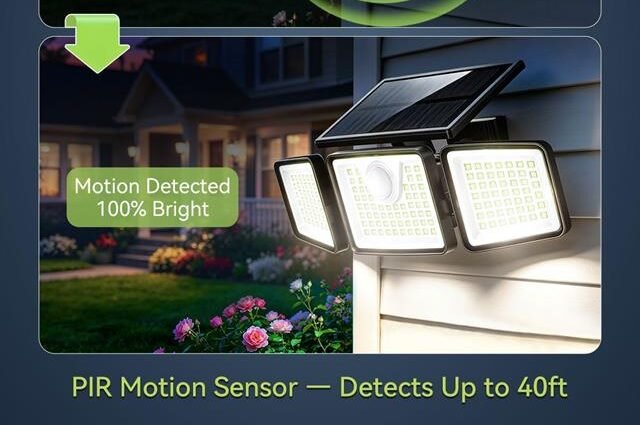
A solar motion light uses a passive infrared, or PIR, sensor to detect changes in heat. People, pets, and cars give off heat. When a warm object moves across the sensor’s view, the light turns on.
The sensor does not usually detect motion like a camera. Instead, it notices a change in infrared energy. This is why a person walking across the sensor’s path may trigger the light more reliably than someone walking straight toward it.
After activation, the control circuit starts a timer. When the timer ends, the light turns off unless the sensor detects new movement. This simple process helps save battery power during the night.
A typical cycle works like this:
-
The solar panel charges the battery during daylight.
-
The light sensor confirms that it is dark.
-
The PIR sensor detects movement.
-
The LED turns on.
-
The timer counts down.
-
The light switches off when no new motion is detected.
If movement continues, the timer may reset. This explains why a light can appear to stay on for several minutes even when its timer is set to 30 seconds.
What Determines How Long Solar Motion Lights Stay On?
The advertised timer is only one part of the answer. Several conditions can change how long solar motion lights stay on after detecting motion.
Timer setting
Many solar security lights include a TIME, TIMER, or DURATION dial. Turning it toward the plus sign increases the run time. Turning it toward the minus sign reduces the run time.
Some low-cost lights do not offer timer control. Their light may remain on for about 30 seconds or one minute by design.
Battery charge
A solar light with a full battery can provide brighter and more stable performance. A weak battery may cause the light to dim, shut off early, or fail to turn on.
The battery may not hold enough power after several cloudy days. Cold weather can also reduce battery performance, especially with older rechargeable batteries.
Sunlight exposure
The solar panel needs direct sunlight to charge well. Shade from trees, roof edges, or walls can reduce the energy stored during the day.
Even a high-quality solar motion light may perform poorly if its panel receives only weak, indirect light. Aim the panel toward the strongest available sun, while keeping the motion sensor pointed toward the area you want to monitor.
Sensor activity
A person walking across the sensor’s view may keep the light on longer than someone who passes quickly. A waving branch, moving flag, or warm vehicle can also trigger repeated cycles.
This can make it seem like the timer is too long. In reality, the light may be restarting because the sensor continues to detect movement.
Weather and temperature
Rain, snow, dust, and extreme temperatures can affect the sensor and battery. Water on the sensor lens may scatter light from the LED or create false triggers.
Most outdoor lights are built for weather exposure, but their performance still depends on the product’s IP rating and installation quality.

How Long Should a Solar Motion Light Stay On?
The best run time depends on the location and purpose of the light. A short setting is often better for a path, while a longer setting may work well near a garage.
Use these general settings as a starting point:
• Steps: 15 to 30 seconds
• Front door: 30 to 60 seconds
• Walkway: 20 to 45 seconds
• Driveway: 45 to 90 seconds
• Garage entrance: 1 to 3 minutes
• Backyard or side yard: 30 to 90 seconds
A longer setting gives you more light, but it uses more stored energy. If the light turns on many times each night, a five-minute setting may drain the battery before sunrise.
In my testing approach for outdoor lighting, the most useful balance is usually 30 to 60 seconds. It gives enough time to unlock a door, walk across a path, or check a vehicle without wasting power.
Why Your Solar Motion Light Turns Off Too Soon
If your light turns off after only a few seconds, the timer may be set too low. Check the control dial or manual before assuming the light is faulty.
Other possible causes include:
• A battery that is old or poorly charged
• A solar panel covered by dirt or leaves
• A sensor aimed at the wrong area
• A loose wire or damaged connection
• A low temperature that reduces battery output
• A motion sensor that is being blocked
Clean the solar panel with a soft, damp cloth. Then let the battery charge through a full day of direct sunlight. Avoid using harsh cleaners, since they can damage the panel surface.
If the light still shuts off too soon, replace the rechargeable battery only with the correct type and voltage listed by the manufacturer. Never install a standard alkaline battery unless the product specifically allows it.
Why Solar Motion Lights Stay On Too Long
A solar motion light may stay on longer than expected because the sensor keeps seeing movement. This often happens when the light faces a busy road, a sidewalk, or a tree that moves in the wind.
Heat can also create false triggers. A sensor pointed toward an air-conditioning outlet, dryer vent, or warm wall may react to changing temperatures.
Try these adjustments:
-
Lower the sensor sensitivity if the light has a SENS or RANGE control.
-
Tilt the sensor away from roads and busy areas.
-
Remove branches, flags, or objects that move in the wind.
-
Keep the sensor away from strong heat sources.
-
Reduce the timer to 20 or 30 seconds.
-
Check for spiders or insects near the sensor lens.
A small spider web can cause repeated activation. This is a simple issue, but it is easy to overlook.
How to Adjust the Timer on Solar Motion Lights
Most adjustable solar motion lights have small controls on the back or underside of the housing. The labels may include TIME, SENS, and LUX.
• TIME controls how long the light stays on.
• SENS controls how far the sensor detects movement.
• LUX controls the darkness level needed for activation.
To adjust the timer:
-
Turn the light off if the manual recommends doing so.
-
Find the TIME or DURATION dial.
-
Set it to a middle position.
-
Test the light after dark.
-
Increase or reduce the time in small steps.
Do not force a small dial. Some controls are protected by a rubber cover and can break if turned with a sharp tool.
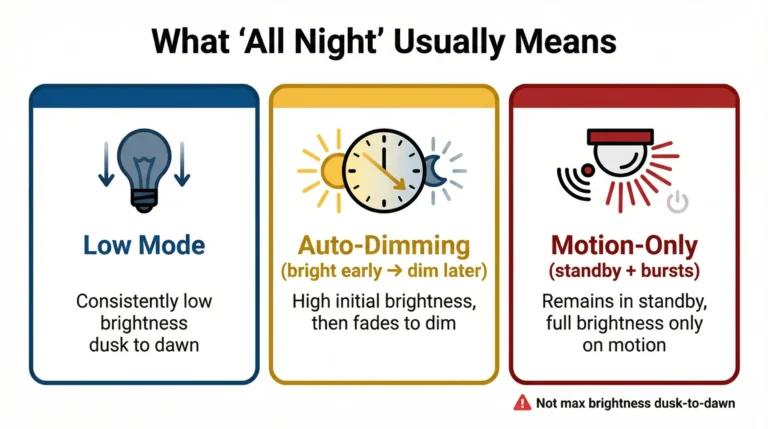
If the light has several modes, confirm that it is in motion mode rather than dusk-to-dawn mode. A dusk-to-dawn setting may keep the LED on at a lower brightness for much of the night.
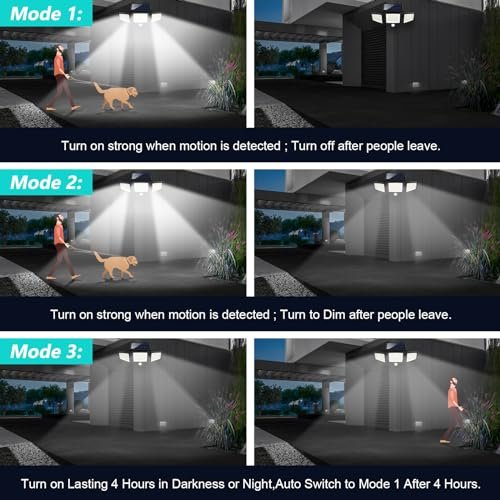
Solar Motion Light Modes and Their Run Times
Not every solar light works in the same way. Understanding the mode can help answer how long solar motion lights stay on after detecting motion.
Motion-only mode
The light remains off until it detects movement. It then turns on at full brightness for the selected timer period.
This mode usually provides the best battery life.
Dim-to-bright mode
The light stays dim at night and becomes bright when motion is detected. It may remain bright for 20 to 60 seconds before returning to dim mode.
This option offers gentle background lighting but uses more energy than motion-only mode.
Dusk-to-dawn mode
The light turns on when the surrounding area becomes dark. It may remain on until sunrise, sometimes at a lower brightness.
This is not the same as a standard motion light. Its operating time depends more on the night length than on motion.
Security or high-brightness mode
Some lights deliver maximum brightness when movement is detected. They may have shorter run times to protect the battery.
A bright LED can use much more power than a dim setting. This is why a model may not stay bright all night, even if its battery appears large.
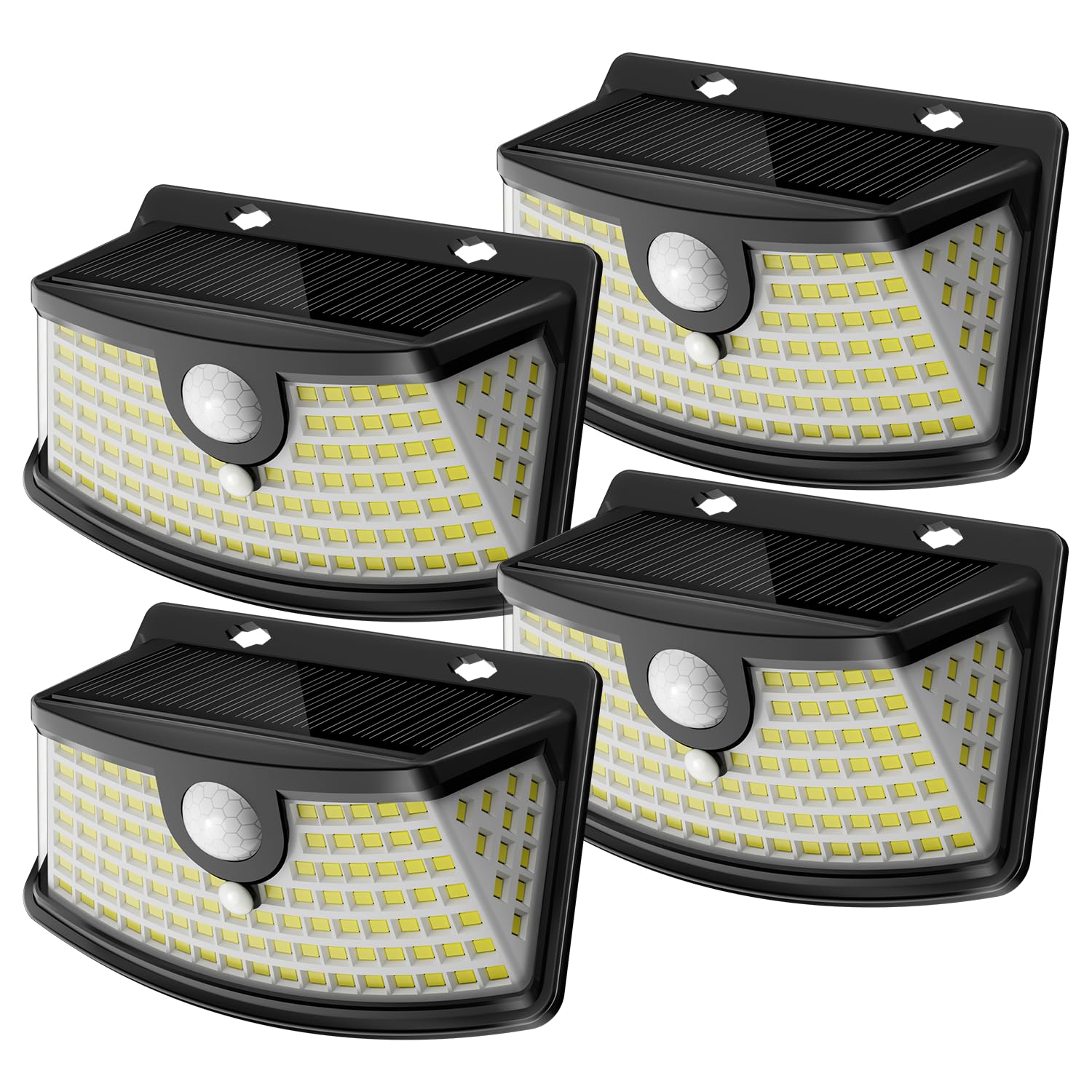
Does More Motion Make the Light Stay On Longer?
Yes, repeated motion can extend the total time the light remains on. Most PIR systems restart the timer when they detect a new movement event.
For example, suppose the timer is set to 30 seconds. If a person moves in front of the sensor after 20 seconds, the light may begin a new 30-second cycle.
This feature is useful near doors and driveways. However, it can drain the battery if the sensor faces a busy area. A light that activates 100 times may use much more power than one that activates only 10 times.
How to Improve Solar Motion Light Battery Life
Better placement often improves performance more than buying a brighter light. The panel, sensor, and LED each need a clear role.
Follow these practical tips:
• Install the panel where it receives several hours of direct sun.
• Keep the panel free from dust, leaves, and bird droppings.
• Point the sensor across the path of movement.
• Use the shortest useful timer setting.
• Lower sensitivity if pets or traffic trigger the light.
• Avoid placing the light near bright outdoor lamps.
• Use a weatherproof model rated for your climate.
• Replace aging rechargeable batteries when capacity drops.
The sensor should not face a strong light source. Bright light can confuse the dusk sensor and prevent the motion function from working correctly.
Solar Motion Lights Compared With Wired Motion Lights
Solar motion lights are simple to install and do not need an electrical cable. They work well for sheds, fences, paths, gates, and areas far from the house.
Their main limit is stored energy. A wired light can usually run longer and brighter because it receives steady power. A solar light must divide its stored energy between brightness, sensor activity, and the rest of the night.
Solar lights also depend on the weather. A wired fixture may perform the same way on a sunny day or after several days of rain. Solar lighting is more flexible, but it needs better planning.
For many homes, the best choice depends on the location:
• Choose solar for easy installation and remote areas.
• Choose wired lighting for constant, high-power security lighting.
• Choose a hybrid system when reliability matters most.

Safety and Placement Tips
A motion light should improve visibility without creating glare. Aim the beam toward the ground or target area instead of directly into a neighbor’s window.
Mount the light high enough to reduce tampering, but not so high that the sensor loses useful coverage. Many residential lights work well around 6 to 10 feet above the ground, depending on the sensor design.
Avoid placing the light where its own beam shines into the solar panel. Strong nighttime light can confuse the dusk sensor and affect the next charging cycle.
For security, remember that a solar motion light is a visibility tool. It can discourage unwanted activity, but it should not replace a locked door, a good camera, or other basic security steps.
Frequently Asked Questions About How Long Do Solar Motion Lights Stay On After Detecting Motion?
How long do solar motion lights stay on after detecting motion?
Most solar motion lights stay on for 20 to 60 seconds. Adjustable models may remain on for several minutes, depending on the timer setting.
Can I change how long a solar motion light stays on?
Many models have a TIME or DURATION dial that changes the run time. Some basic lights use a fixed timer and do not allow adjustments.
Why does my solar motion light stay on all night?
The light may be set to dusk-to-dawn mode, or its sensor may be receiving false triggers. Check the mode, lower the sensitivity, and remove moving objects near the sensor.
Do solar motion lights work all night?
They can work through the night when the battery receives enough daytime sunlight and the light activates only when needed. Several cloudy days, frequent motion, or a weak battery may shorten nighttime performance.
How long do solar motion lights stay on after detecting motion in winter?
The timer may still be set for the same period, but cold weather and shorter daylight can reduce total performance. Clean the panel, position it for the best sun, and use a fresh compatible battery if needed.
Do pets trigger solar motion lights?
Yes. Dogs, cats, and other warm animals can trigger a PIR sensor. Lowering sensitivity or aiming the sensor higher can reduce unwanted activation.
How often should I clean a solar motion light?
Check the panel every few months and clean it when dust, pollen, leaves, or bird droppings build up. A clean panel charges the battery more effectively.
Conclusion
Most solar motion lights stay on for 20 to 60 seconds after detecting motion, but the true run time depends on the timer, battery, sunlight, sensor activity, and operating mode. A short setting saves energy, while a longer setting gives more time for walking, unlocking doors, or checking a driveway.
Start with a 30 to 60-second timer. Keep the solar panel clean, reduce false triggers, and adjust the sensor so it detects useful movement rather than passing cars or swaying branches. Test the light for several nights, then fine-tune the settings for your home.
Use these tips to get brighter, more reliable outdoor lighting, and explore more guides on solar lighting and home security before choosing your next fixture.