How Long Does a Solar Security Camera Battery Last?
How long does a solar security camera battery last? Under ideal conditions, it can run indefinitely. The solar panel keeps the battery charged as fast as the camera drains it.
But real-world battery life swings wildly, from weeks to forever, depending on your setup.
Most solar security cameras ship with batteries between 5,000 and 15,000 mAh. A camera on high sensitivity settings can drain 300 to 500 mAh per day. That gap between stored and consumed power determines whether your battery lasts forever or fades in weeks.
Quick Answer
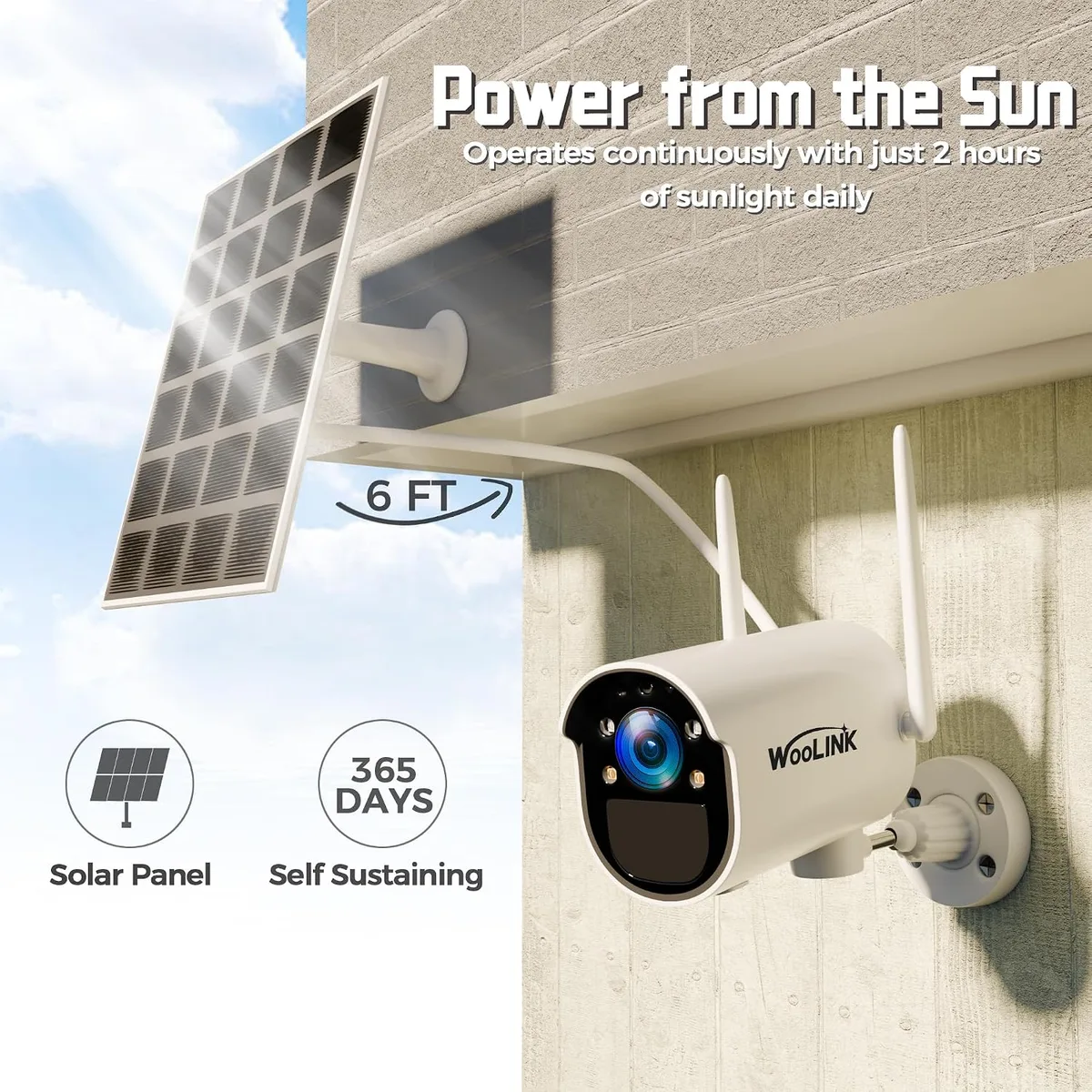
A solar security camera battery can last indefinitely under ideal conditions. With six or more hours of direct sunlight daily, the panel keeps the battery fully charged. Without solar input, most batteries drain in four to eight weeks.
Real-world performance depends on your climate, settings, and camera placement.
How Solar Security Camera Batteries Actually Work
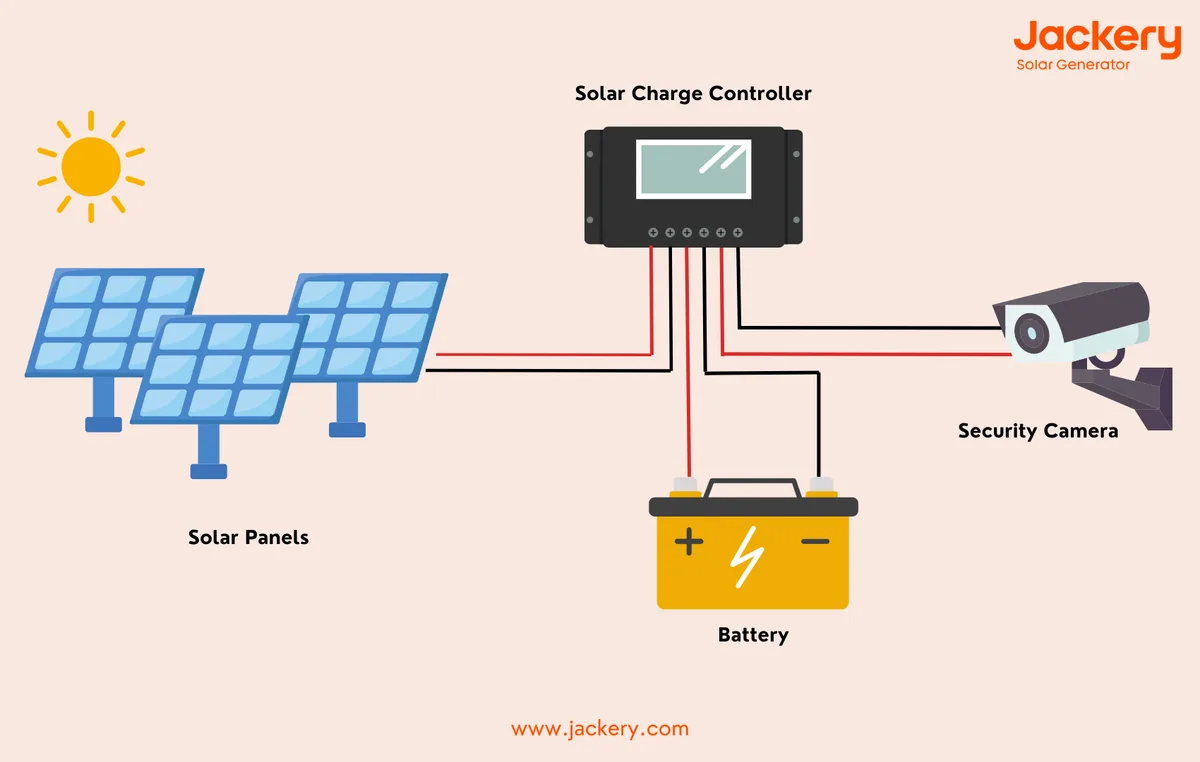
A solar security camera system has three main parts: a solar panel, a charge controller, and a rechargeable battery. Here's how they work together.
The solar panel converts sunlight into electricity. It sends that power to the charge controller, which regulates the flow and protects the battery from overcharging. The battery stores the energy, then delivers it to the camera on demand.
Two types of charge controllers show up in most solar cameras. Pulse Width Modulation (PWM) controllers are simpler and cheaper. They work fine for small panels under 5W.
Maximum Power Point Tracking (MPPT) controllers are more efficient. They extract 15 to 25 percent more energy from the panel, which matters when every milliamp counts.
Battery chemistry matters more than most people realize. As of 2026, most mid-range solar security cameras still use standard lithium-ion (Li-ion) cells. These hold plenty of energy per gram but lose capacity faster over time.
Lithium iron phosphate (LiFePO4) batteries are becoming more common. They last significantly longer, with cycle lives of 2,000 to 4,000 charges compared to 500 to 800 for standard Li-ion.
Camera settings directly affect how fast the battery drains. Motion-triggered recording uses more power than standby mode. High-sensitivity PIR sensors that fire on every passing car or swaying branch can consume energy faster than the panel provides.
Night vision with infrared LEDs draws 2 to 3 times more power than daytime operation.
Think of it like a bucket. The solar panel is the faucet. The battery is the bucket.
The camera is the drain. If the faucet flows faster than the drain, the bucket stays full. If the drain flows faster, the bucket empties.
The tricky part is figuring out which way the flow goes in your specific setup.
The Five Variables That Determine Your Camera's Battery Life
Your solar security camera battery life comes down to five variables. Change any one of them and the answer to "how long does a solar security camera battery last?" shifts significantly. Here's what matters most.
Sun exposure hours
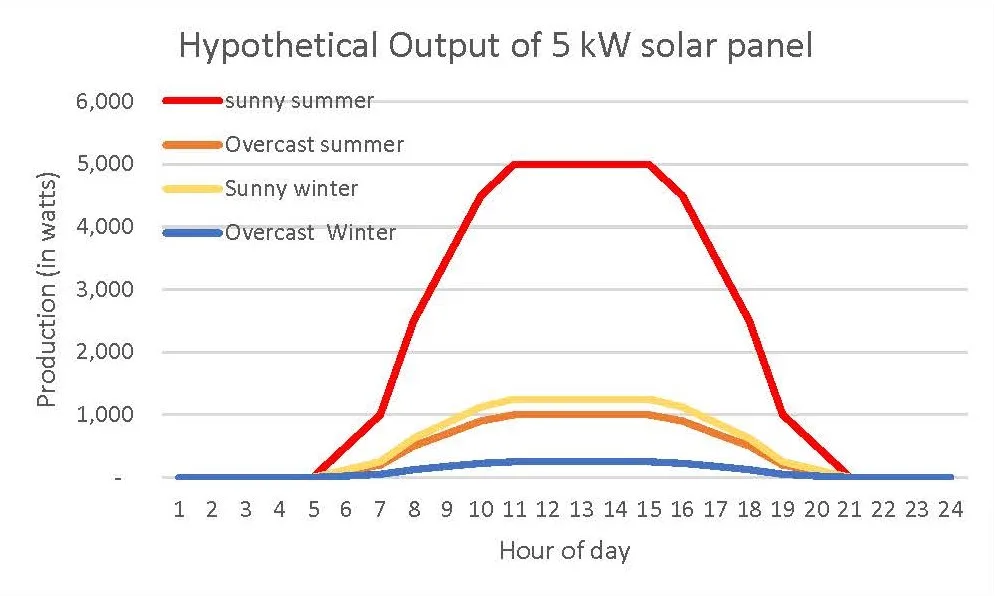
If your camera sits in 8 or more hours of direct sunlight, the battery likely stays charged indefinitely. If it gets less than 4 hours, the battery drains faster than it charges. Partial shade from trees, buildings, or fences cuts into those hours significantly.
Local climate and seasons
If you live in a sunny region like Arizona or Southern California, solar output stays high year-round. If you're in the Pacific Northwest or Northeast, winter months can drop peak sun hours to 2 or 3 per day. That's enough to shift a camera from perpetual charge to slow drain.
Motion sensitivity and false triggers
If your camera's sensitivity is set too high, wind-blown trees, passing cars, and neighborhood animals trigger recordings constantly. Each trigger wakes the camera, captures footage, and sends data. A false trigger rate of 2 to 5 per hour can drain the battery twice as fast as normal.
Night vision and spotlight usage
If your camera runs infrared night vision every night, expect 2 to 3 times the power draw compared to daytime. Spotlights and color night vision draw even more. If your model supports auto-on night vision, use it to save battery.
Camera resolution and recording settings
If your camera records at 4K with 60-second clips, it consumes significantly more power than a 1080p camera with 15-second clips. Higher resolution means more data processing, more storage writes, and more transmission over Wi-Fi. All of that adds up on the battery.
Here's a quick reference for how these variables combine:
| Setting Profile | Daily Power Draw | Battery Life (No Solar) | Battery Life (With Solar) |
|---|---|---|---|
| Low sensitivity, 1080p, short clips | 100–150 mAh | 60–100 days | Indefinite (6+ hrs sun) |
| Medium sensitivity, 1080p, standard clips | 200–300 mAh | 30–50 days | Indefinite (6+ hrs sun) |
| High sensitivity, 2K–4K, long clips | 400–600 mAh | 15–25 days | Slow drain (6+ hrs sun) |
| High sensitivity + night vision + spotlight | 500–800 mAh | 10–15 days | Slow drain (8+ hrs sun) |
The National Renewable Energy Laboratory (NREL) tracks solar irradiance data by ZIP code. That's your best starting point for estimating what your panel can deliver before you install the camera.
Estimate Your Battery Life: A Step-by-Step Decision Guide
You don't need expensive tools to estimate your battery life. You need two numbers: how fast the camera drains, and how fast the solar panel charges. Here's how to find both.
Step 1: Find your battery capacity
Check your camera's spec sheet or app settings. Most solar security cameras show battery capacity in mAh. Write that number down.
You'll need it for every calculation that follows.
Step 2: Estimate daily power draw
Look at your camera's motion sensitivity and recording settings. A camera on low sensitivity with short clips draws 100 to 150 mAh per day. Medium settings use 200 to 300 mAh.
High sensitivity with night vision can hit 500 to 800 mAh per day.
Step 3: Find your daily peak sun hours
This is where most people get it wrong. Peak sun hours don't mean daylight hours. They mean hours when the sun is strong enough to drive a solar panel at full capacity.
Your local solar irradiance data gives you this number directly. NREL and your local energy utility both publish it.
Step 4: Calculate your solar panel's daily output
Multiply your panel's wattage by peak sun hours, then by an efficiency factor of about 0.75. That 0.75 accounts for heat losses, dust on the panel, and suboptimal angle. It's a realistic adjustment that manufacturer specs often ignore.
Example: A 4W panel getting 5 peak sun hours delivers: 4 × 5 × 0.75 = 15 Wh per day. Convert to mAh at 5V: 15,000 mWh ÷ 5V = 3,000 mAh per day.
Step 5: Compare input against drain
If your daily solar output (3,000 mAh) exceeds your camera's daily draw (200 mAh), you're in perpetual charge territory. You have 15 times more energy coming in than going out. The battery will never run dry.
If solar output is close to equal with camera draw, you're drifting. Battery life becomes unreliable and depends on daily weather.
If solar output is less than camera draw, you're draining. The battery will eventually die regardless of how well you set things up.
Step 6: Take corrective action
Draining? Increase sun exposure, reduce sensitivity, or add a larger panel. Drifting?
Clean the panel, adjust the angle, or shorten recording clips. In perpetual charge? You're good.
Check battery health quarterly in the app.
Mistakes That Drain Solar Security Camera Batteries Faster
Most solar security camera battery problems aren't caused by bad hardware. They're caused by setup and settings mistakes. Here are the most common ones.
High sensitivity with lots of motion in frame. If your camera faces a busy street, a tree line, or a pet door, it triggers dozens of times per hour. Each trigger wakes the camera, records a clip, and sends data. That's a battery killer.
Panel placed in shade or at the wrong angle. If your solar panel sits under a tree or faces north in the Northern Hemisphere, it produces far less energy than it's rated for. Angle the panel to face true south and tilt it to match your latitude.
Letting night vision run full-time. If your camera has infrared night vision on 24/7, it's drawing power around the clock. Most cameras only need night vision when they detect motion. Check if your model supports auto-on night vision. If it does, turn it on.
Ignoring firmware updates. If you skip firmware updates for months, your camera may miss critical battery optimization patches. Manufacturers release updates that fix power management bugs. Enable auto-updates in the app.
Dirty or covered solar panels. If your panel has dust, bird droppings, pollen, or a thin layer of snow, energy output drops sharply. Clean the panel surface monthly with a soft cloth and mild soap.
Expecting solar to work in a cloudy climate. If you live in an area with long overcast seasons, solar panels can't deliver enough energy to keep the camera running. Supplement with a wall charger or consider a model with a larger battery of 10,000+ mAh.
Running a 4K camera on high settings. If you're capturing 4K footage with 60-second clips every time motion triggers, you're using far more power than a 1080p setup with 15-second clips. Downgrade resolution if you don't need ultra-high detail. Shorter clips and lower resolution can cut daily power draw by 30 to 50 percent.
The common thread: most of these mistakes are easy to fix. Check your settings, reposition the panel, clean the surface, and update the firmware. In most cases, you'll see a dramatic improvement in battery life within days.